
Site added
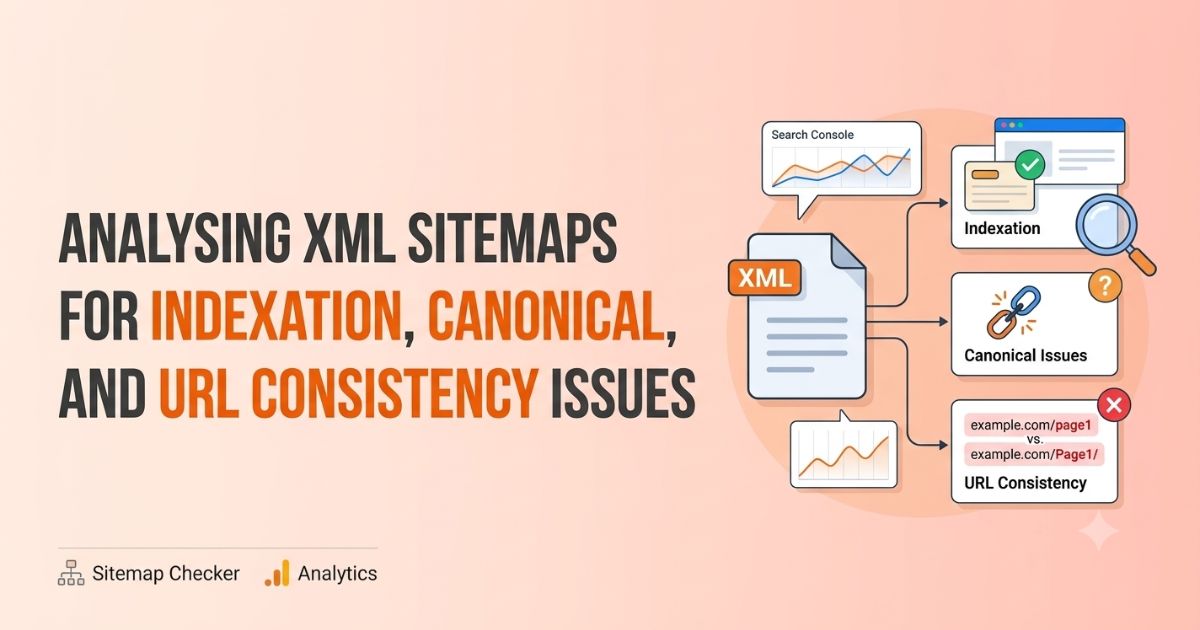
Analyzing an XML sitemap means checking whether the URLs submitted to search engines are accessible, indexable, canonical, and consistent with the website’s preferred URL structure. A sitemap can contain URLs that return errors, redirect elsewhere, are marked noindex, or point to a different canonical URL. Identifying these inconsistencies helps SEO teams clean up conflicting signals and improve sitemap quality.
A useful sitemap audit connects three things:
• The URLs included in the sitemap
• The canonical URLs declared on those pages
• The actual indexation and accessibility status of those URLs
Google considers several signals when selecting a canonical URL, including redirects, rel="canonical" annotations, HTTPS, and sitemap inclusion. A canonical declaration is a signal to Google, not a guarantee that Google will select that URL. You can read more in Google’s canonicalization documentation.
What Is an XML Sitemap?
An XML sitemap is a file that lists URLs a website wants search engines to discover and crawl. A basic entry looks like this:
<url>
<loc>https://example.com/seo-guide/</loc>
<lastmod>2026-09-20</lastmod>
</url>
The <loc> element identifies the URL. The <lastmod> element communicates when the page was last significantly updated. Google recommends accurate modification dates rather than updating <lastmod> without a meaningful content change (see Google’s sitemap overview).
A sitemap is not a list of every URL on a website. It should primarily contain URLs that are:
• Important to the website
• Accessible to search engines
• Intended for indexing
• The canonical version of the content
• Returning a valid, indexable response
Why Sitemap Audits Matter for SEO?
A sitemap is often submitted once and forgotten, but it works as a diagnostic source. Imagine a website with 10,000 sitemap URLs, where:
• 500 redirect to other URLs
• 300 return 404 errors
• 200 are blocked by robots.txt
• 400 have noindex
• 600 use non-canonical URLs
• 1,000 are duplicates or parameter variations
The file may be technically valid, but its contents send mixed signals about which URLs matter. Sitemap inclusion helps discovery; it does not guarantee crawling or indexing. That is why sitemap data should be compared with crawl data and Search Console rather than reviewed in isolation.
Sitemap URLs vs. Indexed URLs
The first question in any audit: are the URLs listed in the sitemap actually eligible for indexing?
For every sitemap URL, check:
1. HTTP status code
2. Indexability
3. Canonical URL
4. Robots directives
5. Redirect status
6. Internal linking
7. Whether the URL is actually indexed
A consistent setup looks like this:
Sitemap URL: https://example.com/blog/seo-guide/
Canonical: https://example.com/blog/seo-guide/
Status: 200 OK
Robots: index, follow
A mismatched setup looks like this:
Sitemap URL: https://example.com/blog/seo-guide/
Canonical: https://example.com/blog/seo-guide-2026/
Status: 200 OK
The sitemap promotes one URL while the page names another as canonical. That discrepancy needs investigation.
Common XML Sitemap Issues to Look For
1. Non-Canonical URLs
Suppose these versions of a page exist:
https://example.com/page
https://example.com/page/
https://www.example.com/page/
http://example.com/page/
If the preferred version is https://example.com/page/, the sitemap should use only that version. Compare Sitemap URL → Final URL → Canonical URL. Ideally, all three match.
2. Redirected URLs
Sitemap: https://example.com/old-page/
301 Redirect: https://example.com/new-page/
Update the sitemap to list the final destination. Redirects are fine for users and old links, but keeping them in the sitemap adds unnecessary crawl paths and makes the file less precise.
3. 404 and 410 URLs
Remove 404 Not Found and 410 Gone URLs from the sitemap. Leaving them suggests the site still treats them as important pages. A regular sitemap crawl catches these quickly.
4. URLs Blocked by robots.txt
Sitemap: https://example.com/private-page/
robots.txt: Disallow: /private-page/
This creates conflicting signals: the sitemap invites crawling while robots.txt forbids it. URLs in a sitemap should be accessible to Googlebot.
5. Noindex URLs
<meta name="robots" content="noindex,follow">
If a page is intentionally excluded from search results, it generally does not belong in a sitemap of indexable URLs. Ask: does this URL belong in Google’s searchable index? If not, review whether it should stay in the sitemap. Google’s robots meta tag documentation explains how noindex is processed.
Canonical and URL Consistency Checks
Canonical problems usually appear when multiple versions of a URL exist. Common causes:
• HTTP vs HTTPS
• www vs non-www
• Trailing slashes
• Uppercase vs lowercase URLs
• URL parameters (filters, sorting, tracking)
• Duplicate category paths
• Pagination
• Alternate versions generated by JavaScript
When several versions resolve successfully, internal links, canonicals, redirects, and sitemap entries should all reinforce the same preferred version. Google notes that canonicalization can happen before and after rendering, so consistency matters even more on JavaScript-heavy sites.
Check these five areas:
• Protocol: use https:// when HTTPS is the preferred version.
• Hostname: use www.example.com or example.com consistently.
• Trailing slash: /example/ and /example can both work, but mixing them creates unnecessary variations.
• Case: /example-page/ and /Example-Page/ may be treated as different URLs.
• Parameters: /product/shoes/ and /product/shoes/?sort=price may show the same content. Not every parameter URL belongs in the sitemap.
Finding Indexation Problems in Search Console
Start with the Sitemaps report, then compare it with URL-level indexing data. The URL Inspection tool shows how Google sees an individual page. Crawling and re-indexing can take time after changes.
Look for these statuses:
• Crawled – currently not indexed
• Discovered – currently not indexed
• Duplicate without user-selected canonical
• Duplicate, Google chose a different canonical
• Alternate page with proper canonical
• Excluded by noindex
• Blocked by robots.txt
• Page with redirect
Sitemap URL vs. Google-Selected Canonical
This is one of the most useful comparisons in a technical audit. Say your sitemap lists https://example.com/page-a/, and the page declares itself canonical:
<link rel="canonical" href="https://example.com/page-a/">
But Google selects https://example.com/page-b/. Your signals are not consistent enough. Investigate internal links, redirects, duplicate content, canonical tags, sitemap entries, HTTPS implementation, content similarity, and alternate URL versions. Google treats canonical signals as hints, not absolute instructions.
A Practical XML Sitemap Audit Process
Step 1: Export all sitemap URLs
Collect URLs from the main sitemap, the sitemap index, and any image, video, or news sitemaps. For large sites, combine everything into one dataset.
Step 2: Check HTTP status codes
Separate 200s, 3xx redirects, 4xx errors, and 5xx server errors. Prioritize errors and redirects.
Step 3: Check indexability
For each URL, verify robots.txt access, meta robots, X-Robots-Tag, canonical tag, and HTTP response.
Step 4: Compare canonical URLs
|
Sitemap URL |
Final URL |
Canonical URL |
Status |
|
/page-a/ |
/page-a/ |
/page-a/ |
Consistent |
|
/page-b/ |
/page-c/ |
/page-c/ |
Redirect |
|
/page-d/ |
/page-d/ |
/page-e/ |
Canonical mismatch |
Step 5: Compare with Search Console
Review indexing data for important URLs. Not every sitemap URL must be indexed, so focus on why important URLs are excluded.
Step 6: Fix the source of the problem
Do not just regenerate the sitemap. Fix what produced the issue:
|
Problem |
Fix |
|
Sitemap contains redirected URLs |
Update the CMS or sitemap generator to output final destination URLs |
|
Sitemap contains noindex pages |
Decide if they should be indexed; if not, remove them from the sitemap |
|
Sitemap uses HTTP URLs |
Update generation logic to output preferred HTTPS URLs |
Practical Observations from Audits
These patterns show up repeatedly in real audits:
• Plugin defaults: CMS sitemap plugins often include tag archives, author pages, or parameter URLs unless configured otherwise.
• Stale migrations: after a migration, the sitemap frequently still lists old URLs that now redirect.
• Mixed signals from templates: a canonical tag hard-coded in a template can point every page to the same URL, or to a staging hostname.
• Inflated <lastmod>: some generators update <lastmod> on every build, which makes the field unreliable.
Check these first; they account for a large share of sitemap problems.
What a Healthy XML Sitemap Looks Like
A clean sitemap contains URLs that are canonical, indexable, accessible, relevant, returning 200 status codes, and consistent with the preferred URL structure. It should not become a dumping ground for every URL the site generates.
Ecommerce sites need particular care because filters, sorting parameters, internal search pages, and product variations produce large numbers of URLs. Large publishers face similar issues with old articles, pagination, category pages, and redirected URLs.
How Often Should You Audit an XML Sitemap?
There is no universal schedule. Audit more frequently when:
• Hundreds of URLs are published each month
• Products are frequently added or removed
• URLs are regularly migrated
• The CMS generates URLs automatically
• Faceted navigation creates many URL variations
• The site has recently been migrated
• Multiple teams modify URL structures
For a stable site, periodic audits are enough. Always re-check after significant structural changes rather than waiting for indexation problems to show up in organic traffic.
XML Sitemap Audit Checklist
Sitemap
• ☐ Sitemap is accessible and submitted in Search Console
• ☐ URLs use HTTPS and the preferred hostname
• ☐ No 404, redirected, server-error, blocked, or noindex URLs
• ☐ No duplicate URLs
• ☐ Accurate <lastmod> values
Canonicalization
• ☐ Sitemap URLs match canonical URLs
• ☐ Internal links use preferred URLs
• ☐ Redirects point to final URLs
• ☐ Protocol, hostname, and trailing slash conventions are consistent
• ☐ Parameter URLs are handled intentionally
Indexation
• ☐ Important URLs are indexable and internally linked
• ☐ Search Console exclusions are reviewed
• ☐ Google-selected canonicals are investigated
• ☐ Changes are validated through URL Inspection
What to Do After Fixing Sitemap and Indexation Issues
Once your important pages are accessible, indexable, and canonically consistent, you can move on to off-page work. The logical order is: technical SEO → indexation → healthy pages → backlink analysis → link acquisition.
An SEO backlink checker can help evaluate the backlink profile of your key pages after their technical status is verified. Agencies managing multiple websites can also use a bulk backlink checker to review backlink profiles at scale.
When you are ready to plan link acquisition, a guest post price comparison tool can be used separately from the technical audit to evaluate opportunities and compare available pricing. Keep the two workflows apart: the sitemap audit answers whether your URLs are discoverable and consistent, while link research answers where to build authority.
Key Takeaways
• Crawl the sitemap and compare HTTP status, indexability, canonical declarations, redirects, and internal links for every URL.
• A sitemap should list only canonical, indexable, 200-status URLs.
• Sitemap inclusion and canonical tags are signals, not guarantees. Google may index or select differently.
• Fix the source (CMS, plugin, template) rather than just regenerating the file.
• When the sitemap, canonicals, redirects, and internal links all point to the same preferred URLs, Google can better interpret the site’s preferred URL signals.
• Resolve technical consistency before scaling backlink analysis and outreach.