
Site added
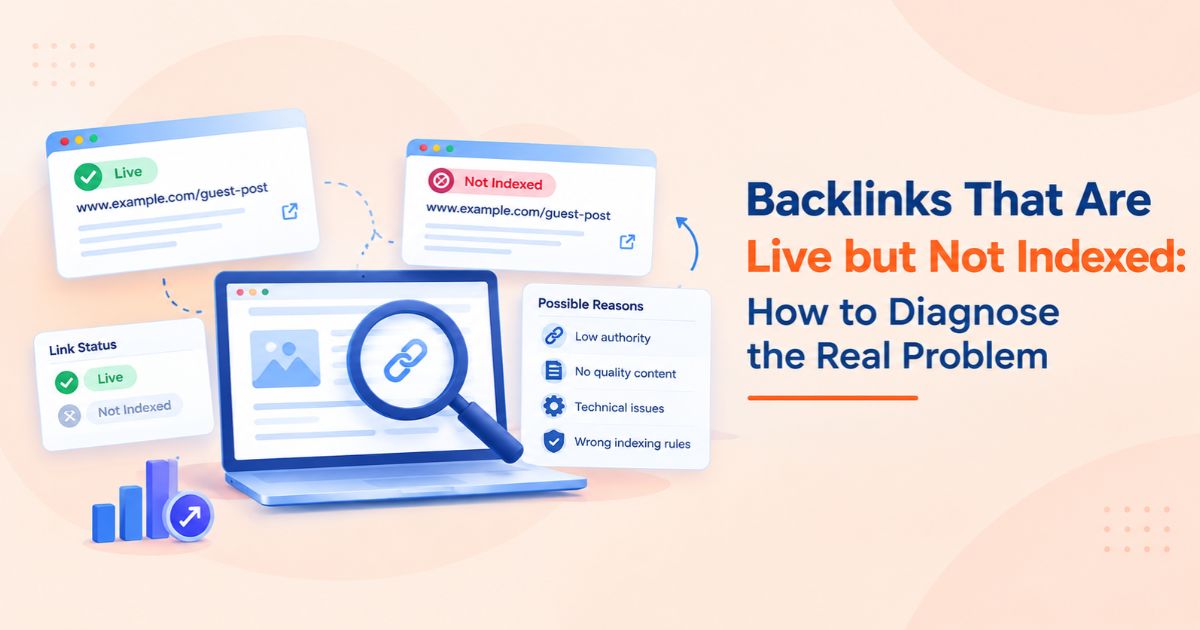
A backlink can be live, clickable, and accessible in a browser without being indexed by Google. For SEO professionals, this creates a frustrating situation: a guest post has been published, the hyperlink points to the correct destination, and the publisher has confirmed completion, yet the linking page does not appear in Google's search results.
The key distinction is that a live backlink does not guarantee that Google has crawled the linking page, indexed it, or will use the link as a ranking signal. Each is a separate process, and each requires a different diagnostic approach.
An SEO backlink checker can help investigate backlink profiles, identify missing links, and monitor changes. However, diagnosing indexation problems requires more than a third-party backlink report.
This guide explains why live backlinks may not be indexed, how to investigate technical and content-related issues, and how to establish a repeatable verification process for individual placements and large-scale link-building campaigns.
What Does It Mean When a Backlink Is Live but Not Indexed?
A live backlink is a hyperlink that exists on an accessible webpage and points to a target URL. When SEO professionals refer to an indexed backlink, they generally mean that the page hosting the link has been included in Google's search index.
Google does not provide a definitive, publicly accessible indexation status for every individual backlink relationship. Consequently, it is important to distinguish between a live hyperlink, a crawled page, an indexed page, and a link that Google may use as a ranking signal.
These are four different states:
· Live backlink: The linking page loads, and the intended hyperlink is present.
· Crawled page: Googlebot has fetched the page.
· Indexed page: Google has included the page in its search index.
· Recognized link signal: Google may process the link as part of its search systems, subject to its systems and policies.
A page can be live without being crawled. It can be crawled without being indexed. Even an indexed page containing a backlink does not guarantee that the link will improve rankings.
Google explains these distinctions in its [crawling and indexing documentation](https://developers.google.com/search/docs/crawling-indexing/overview-google-crawlers).
Does an Unindexed Backlink Mean the Link Has No SEO Value?
Not necessarily. First, establish whether the linking page is actually excluded from Google's index or whether a third-party SEO tool simply has not discovered the backlink.
A backlink database may update after Google has already discovered a link. Conversely, a commercial tool may report a backlink without establishing whether Google has indexed the linking page.
The correct approach is to investigate the available evidence, identify any technical or quality issues, and determine whether further action is justified.
Why Are Live Backlinks Not Getting Indexed?
Several technical, structural, and content-related issues can explain why a published backlink is not appearing in Google's index. Investigate these possibilities before requesting reindexing or asking a publisher to replace a placement.
1. Google Has Not Crawled the Linking Page Yet
Newly published guest posts may take time to be discovered and crawled. This can happen when a publisher's website has limited crawl activity, the article is buried within its architecture, or few internal links point to the new page.
How to diagnose it:
1. Open the linking page and confirm that it loads publicly.
2. Check whether the article is linked from relevant category pages, archives, or other accessible pages.
3. Review the publisher's XML sitemap, if available, to see whether the article URL is included.
4. Ask the publisher to confirm that the article is published and accessible to search engines.
5. If you have authorized access to the publisher's Google Search Console property, inspect the URL's reported indexing status.
If you have authorized access to the publisher's Google Search Console property, inspect the URL's reported indexing status.
An XML sitemap can help search engines discover URLs, but submitting a page does not guarantee that Google will crawl or index it.
2. The Linking Page Contains a Noindex Directive
A webpage can be accessible to users while instructing search engines not to index it.
For example, the HTML source may contain:
<meta name="robots" content="noindex">
The HTTP response may also include an X-Robots-Tag: noindex header.
If the publisher intended the article to be indexed, these directives deserve investigation.
How to diagnose it:
· Inspect the page's HTML source for robots meta directives.
· Check the HTTP response headers for an `X-Robots-Tag`.
· Review the applicable robots.txt rules.
· Confirm that the page's indexing directives match the publisher's intended configuration.
A robots.txt restriction is not equivalent to a noindex directive. Blocking a page from crawling can prevent Google from seeing the page-level directive. Therefore, inspect both configurations rather than assuming that one setting explains every case.
3. The Linking Page Has a Canonicalization Problem
A canonical tag identifies the preferred URL among duplicate or substantially similar pages.
For example, a guest post may be accessible through multiple URL variations, while its canonical tag points to another page. Google may select that canonical URL instead of the URL containing the backlink.
How to diagnose it:
6. Inspect the declared canonical URL.
7. Check whether the canonical points to the intended article URL.
8. Review redirect behavior and duplicate URL variations.
9. If authorized access is available, compare the declared canonical with Google's selected canonical in Search Console.
If authorized access is available, compare the declared canonical with Google's selected canonical in Search Console.
A canonical pointing elsewhere is not automatically an error. The problem arises when the canonical configuration conflicts with the publisher's intended indexing behavior.
4. The Article Provides Limited Original Value
A technically accessible page can remain outside Google's index if it does not provide sufficient value.
Potential warning signs include:
· Content that substantially duplicates material published elsewhere.
· Generic articles that provide little useful information.
· Content created primarily to place backlinks rather than serve readers.
· Pages with limited editorial oversight or weak topical relevance.
· Large volumes of similar pages offering little distinct value.
How to diagnose it:
Review the article's originality, usefulness, factual accuracy, editorial quality, and relevance to the publisher's audience.
If the content is weak, improving its usefulness may be more appropriate than repeatedly requesting indexing. Technical accessibility alone does not guarantee that a page will be indexed.
5. The Backlink Page Is Orphaned or Buried Too Deep in the Website
An orphan page has no meaningful internal links pointing to it from other discoverable pages. A guest post may also be difficult to discover if it sits deep within the website's navigation structure.
Click depth is a useful diagnostic consideration. For example, an article accessible only after four or five internal navigation steps may be less prominently linked than one featured on a relevant category page.
However, there is no universal click-depth threshold that guarantees or prevents indexing. The overall internal linking structure, page quality, crawlability, and discovery signals also matter.
How to diagnose it:
10. Check whether the article is linked from relevant category pages, archives, or contextual pages.
11. Review how many internal-link steps are required to reach the article from important sections of the website.
12. Confirm that internal links use crawlable HTML anchors with valid `href` attributes.
13. Check whether the article appears in an appropriate XML sitemap, if one exists.
14. Ask the publisher to add relevant internal links where they improve navigation and help readers discover the article.
Improved internal discovery can help search engines find a page, but it does not guarantee indexation.
6. The Backlink Is Inserted Through JavaScript
Some publishers insert links dynamically using client-side JavaScript rather than including them directly in the initial HTML response.
A backlink may appear in the browser even when its discovery or rendering depends on JavaScript execution. Google can render JavaScript, but rendering may occur separately from the initial crawl. If scripts fail, required resources are blocked, or the link is not rendered as a crawlable element, discovery may be affected.
How to diagnose it:
15. Compare the initial HTML response with the rendered DOM.
16. Check whether the final link appears as an HTML `<a>` element with a valid `href` attribute.
17. Inspect the URL through Google Search Console if you have authorized access to the publisher's property.
18. Review JavaScript errors, blocked resources, and rendering-dependent conditions where relevant.
19. Ask the publisher to use a standard, crawlable HTML link when appropriate.
A link that appears visually on a webpage is not necessarily equivalent to a link Google can reliably discover and process.
For additional guidance, consult Google's [JavaScript SEO basics](https://developers.google.com/search/docs/crawling-indexing/javascript/javascript-seo-basics).
7. The Page Has Technical Accessibility or Server Issues
Technical failures can prevent Google from accessing or processing a published article consistently.
Potential problems include:
· HTTP 5xx server errors.
· Unexpected redirects or redirect chains.
· Pages requiring login access.
· Accidental robots.txt restrictions.
· Server timeouts or inconsistent responses.
· Pages returning a soft 404 or no longer existing.
How to diagnose it:
Check the HTTP response, follow redirects, verify the final destination, and inspect page accessibility. If authorized server logs are available, review requests from Googlebot to identify repeated failures.
Resolve confirmed accessibility issues before assuming the problem is related to content quality or backlink attributes.
How to Diagnose an Unindexed Backlink Step by Step
A repeatable diagnostic workflow helps SEO professionals avoid unnecessary reindexing requests and premature publisher escalations.
Step 1: Verify That the Backlink Is Actually Live
Open the linking URL and check:
· Does the page return a successful HTTP response?
· Is the article publicly accessible?
· Is the intended anchor text present?
· Does the hyperlink point to the correct destination?
· Does the link have the expected `rel` attributes?
· Does the link work without requiring a login or interaction?
A page can be live while the intended hyperlink is missing, redirected, or configured differently from the original agreement.
Record the linking URL, target URL, verification date, and observed link attributes so the result can be checked again later.
Step 2: Inspect the Linking Page's Indexability
Check the page's robots directives, canonical tag, HTTP response, and accessibility.
If you own or have authorized access to the linking website, use Google Search Console's URL Inspection tool to investigate Google's reported indexing status.
If you do not control the publisher's website, you generally cannot access its private Search Console data. Public search operators and third-party tools can provide clues, but neither should be treated as conclusive proof of indexation.
Step 3: Check the Backlink Using an SEO Backlink Checker
An SEO backlink checker helps you discover backlinks, review referring domains, inspect anchor text, and monitor changes to a backlink profile.
Depending on the provider, a tool may report:
· Total backlinks and referring domains.
· Follow and nofollow attributes.
· Anchor text.
· Linking page and destination URL.
· Newly discovered, lost, or broken backlinks.
· Historical observations and the last time the tool detected the link.
These reports can be valuable for backlink monitoring, but third-party databases have their own crawl schedules and coverage limitations.
If a tool does not show a backlink, that does not automatically mean Google has not indexed the linking page. Similarly, a backlink appearing in a commercial database does not prove that Google has indexed it.
Use backlink tools to identify discrepancies and prioritize investigations, not as a replacement for technical verification.
Step 4: Compare Multiple Sources of Evidence
When a backlink appears missing, compare the publisher's live page, the backlink tool's report, and any available Google Search Console information.
|
Evidence source |
What it helps establish |
What it cannot establish alone |
|
Live browser check |
Whether the page and hyperlink are accessible |
Whether Google has indexed the page |
|
Google Search Console |
Indexing information for a property you can access |
A definitive status for every individual backlink |
|
Backlink database |
Whether the provider has discovered and recorded the link |
Google's current indexing decision |
|
Public Google search |
Whether a URL appears in search results |
Definitive proof that a URL is or is not indexed |
Important note about the `site:` operator: A search such as site:example.com/guest-post/ can provide a useful indication that a URL appears in Google's search results, but it is not a definitive indexation test. Search operators do not necessarily return every indexed URL, and their results can vary with query interpretation and the information available to Search.
If a URL does not appear, do not immediately conclude that it is excluded from the index. When you have authorized access, use Google Search Console's URL Inspection tool for more specific information about Google's reported indexing status.
Step 5: Contact the Publisher With Specific Findings
If you identify an actionable problem, provide the publisher with the exact URL and supporting evidence.
For example, ask the publisher to review an unexpected noindex directive, incorrect canonical tag, broken destination, or inaccessible page.
Avoid requesting changes without identifying a plausible issue. If the page is technically sound and was published recently, allow time for discovery and indexing before escalating.
Step 6: Recheck the Page and Record the Outcome
After a change, verify the page again. Record:
· Original publication date.
· Last verified live date.
· Observed technical issue.
· Action requested and completed.
· Latest available indexation evidence.
·Next review date.
Do not promise a specific indexing timeline. Google does not guarantee that a URL will be crawled or indexed simply because a request has been submitted.
How to Monitor Multiple Backlinks More Efficiently
Manual checks become difficult when an agency manages dozens or hundreds of guest post placements. A structured tracking process helps teams identify which links need attention and which simply require another review. If you are still building your prospect list, the WeblinkBuzz guide to competitor backlink gap analysis explains how to identify referring domains worth investigating before checking placement availability.
Use a Bulk Backlink Checker for Large Campaigns
A bulk backlink checker can help organize backlink investigations across multiple URLs, depending on the tool's supported features and limits. For pricing research across a list of domains, use the WeblinkBuzz backlink price checker to compare available marketplace offers in one workflow.
For each placement, maintain the following fields:
·Target website and linking-page URL.
· Target URL and anchor text.
· Publisher or marketplace.
· Publication date.
· Last verified live date.
· Last observed backlink-tool status.
· Indexation evidence and verification date.
· Identified technical issue.
· Publisher follow-up status.
· Next review date.
Separate the status of the backlink itself from the indexation status of the linking page. This prevents teams from incorrectly marking a live backlink as failed simply because a third-party tool has not detected it.
A consistent record also makes it easier to compare reports over time and prioritize follow-ups. If you are evaluating domains while browsing, the WeblinkBuzz Chrome extension can show domain metrics and available marketplace prices without switching between multiple tabs.
When Should You Use a Backlink Price Checker?
A backlink price checker serves a different purpose from an indexation diagnostic tool. It helps SEO professionals evaluate placement costs rather than establish whether Google has indexed a linking page.
Similarly, a backlink price checking tool can help compare commercial offers, while a bulk guest post price checker can streamline pricing research across multiple opportunities.
When scaling link-building campaigns, WeblinkBuzz's backlink price comparison tool helps organize publisher options and compare available guest post prices during procurement. Before placing an order, assess the site's topical relevance, organic visibility, linking-page accessibility, and indexability.
This separates the commercial decision from the technical evaluation: compare the price before purchasing, then verify the published backlink independently.
A lower price does not necessarily mean a better placement, and a higher price does not guarantee indexation or improved rankings. Pricing tools support purchasing decisions; they do not independently establish link quality or search-engine outcomes.
How to Prevent Indexation Problems Before Buying Guest Posts
Prevention begins during publisher evaluation, not after the article has been published.
Evaluate the Publisher's Website
Before committing to a placement, review:
· Topical relevance: Does the website publish content related to the target site's subject?
·Organic visibility: Does the website have meaningful search visibility for relevant topics?
· Editorial quality: Are articles useful, original, and properly maintained?
· Indexability: Are comparable published articles accessible and eligible for indexing?
· Linking practices: Are links placed in a relevant editorial context?
· Placement terms: Are publication requirements and verification expectations clearly documented?
No single metric can guarantee that a guest post will be indexed or contribute to search performance.
Establish Clear Placement Requirements
Before placing an order, agree on the publication URL, target URL, anchor text, link attributes, content requirements, and verification process.
If indexation is a contractual requirement, clarify how it will be measured, how long the publisher will allow for Google to process the page, and what happens if the requirement is not met.
Publication alone should not be treated as proof of indexation.
Avoid Treating Indexation as a Ranking Guarantee
An indexed linking page does not guarantee that Google will use its backlink as a ranking signal. Link attributes, relevance, editorial context, and Google's spam policies all matter.
Paid links intended to manipulate rankings can violate Google's spam policies. Qualifying appropriate paid links with rel="sponsored" or rel="nofollow" is an important compliance consideration.
Review Google's [spam policies for web search](https://developers.google.com/search/docs/essentials/spam-policies) before establishing a link-building workflow.
Common Mistakes to Avoid When Diagnosing Unindexed Backlinks
Mistake 1: Assuming a missing backlink-tool record means Google has not indexed the page.
Different tools maintain different indexes and update at different times. Verify the linking page independently.
Mistake 2: Repeatedly requesting indexing without investigating the cause.
Check accessibility, robots directives, canonicalization, content quality, and discovery before requesting further action.
Mistake 3: Assuming every live backlink must be indexed.
Google does not guarantee indexation for every URL.
Mistake 4: Confusing the linking page with the target page.
The publisher's article and the page receiving the backlink are two separate URLs with potentially different indexing states.
Mistake 5: Buying more links to compensate for unindexed links.
Diagnose the existing placements before increasing campaign spending.
Mistake 6: Using price or domain metrics as a substitute for quality assessment.
A pricing tool can support purchasing decisions, but it cannot independently establish indexation, link value, or policy compliance.
Final Takeaway
When backlinks are live but not indexed, the most effective response is a structured diagnosis—not an immediate assumption that the link has failed.
Verify the hyperlink, inspect the linking page's accessibility and indexing signals, compare available evidence, contact the publisher when a genuine issue exists, and monitor the outcome over time.
An SEO backlink checker can help identify and organize backlink data, while a bulk backlink checker can make larger campaigns easier to manage. Pricing tools serve a separate role by helping teams compare placement costs before purchasing.
For sustainable SEO, keep these decisions separate: verify the link, investigate indexation, evaluate quality, and assess cost. This creates a more reliable process for managing backlink campaigns without confusing a live placement with a guaranteed search-engine outcome.