
Site added
You added JSON-LD to a page, deployed it, and nothing changed in the search results. No rich result, no warning, no obvious error. This is a normal outcome, because markup can be syntactically perfect and still be ineligible, misread, or ignored.
This guide gives you a repeatable validation workflow: which tool answers which question, which errors show up most often, and how to fix them at the template level.
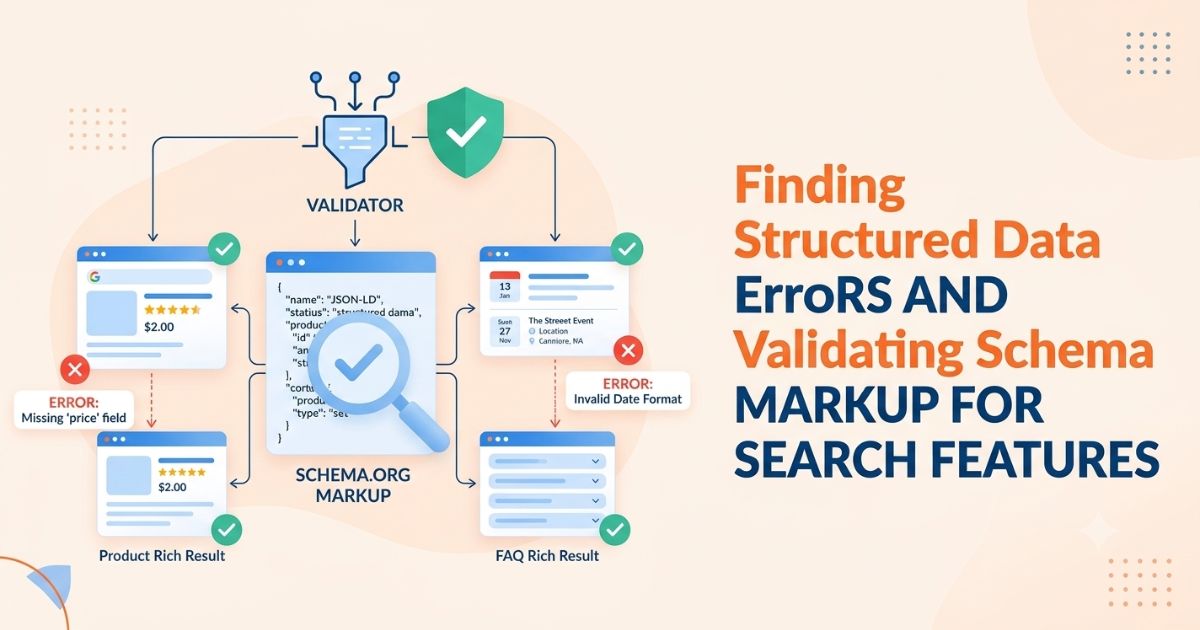
Quick answer: validate in four passes. Check that the JSON parses, check eligibility for the Google feature you are targeting, confirm Google sees the same markup on the rendered page, then monitor Search Console after release.
Structured Data Validation vs. Rich Result Eligibility
These are three different questions, and mixing them up causes most wasted debugging time.
• Validation: is the markup well-formed and does it follow the schema.org vocabulary?
• Eligibility: does it meet Google's requirements for a specific search feature?
• Display: does Google choose to show the feature? Google does not guarantee that any feature appears, even when the markup is correct.
Markup can pass validation and fail eligibility because a required property is missing for that feature. It can pass both and still not display. Treat rich results as upside, and treat accurate markup that matches the page as the actual goal.
Which Tool Answers Which Question
|
Tool |
Best for |
What it will not tell you |
|
Schema Markup Validator (validator.schema.org) |
Syntax and schema.org vocabulary errors, for any type |
Whether Google supports the feature |
|
Rich Results Test |
Eligibility for Google-supported features, by URL or code snippet |
Whether the feature will actually show |
|
URL Inspection (live test) |
What Googlebot sees on the rendered page |
Eligibility details for every feature |
|
Search Console reports |
Errors and warnings across the whole site over time |
Problems on pages Google has not crawled yet |
Supported features change over time, so check Google's current list of structured data features before building reporting around any one type.
A Four-Pass Workflow for Validating Schema Markup
Pass 1: Check that the markup parses
Paste the code or URL into the Schema Markup Validator and fix anything that stops parsing first. Typical causes are trailing commas, curly quotes pasted from a document, an unclosed brace, and a missing @context.
Pass 2: Check eligibility for the target feature
Run the page through the Rich Results Test and read the two severity levels differently:
• Errors: a required property is missing or invalid, so the page is not eligible for that feature.
• Warnings: recommended properties are missing. They do not block eligibility, but fixing them improves data quality.
Pass 3: Confirm Google sees what you wrote
Run a live test in URL Inspection and compare the rendered HTML with your source. If markup is injected by JavaScript, a plugin, or a tag manager, this pass catches markup that exists in the browser but not in the crawl.
Pass 4: Monitor after release
Watch the Search Console reports for the feature you shipped. After fixing a template, use the validate-fix option so Google re-checks the affected URLs. Expect days, not hours.
Validating Product and Offer Schema: A Worked Example
Take a store page for a trail running shoe sold by several retailers. The page shows a price range, so Product with an AggregateOffer is a good fit. Google's product snippet guidance covers pages where visitors cannot buy directly. Pages where the purchase happens on your own site fall under merchant listing requirements instead.
{
"@context": "https://schema.org",
"@type": "Product",
"name": "Trailrunner 3 Running Shoe",
"description": "Lightweight trail running shoe with a rock plate.",
"offers": {
"@type": "AggregateOffer",
"priceCurrency": "USD",
"lowPrice": "89.00",
"highPrice": "129.00",
"offerCount": "6"
}
}
Every value in the markup must match what is visible on the page. If the page shows "from $89", the markup cannot say 80. Markup that does not match visible content violates Google's structured data guidelines and can lead to a manual action, which is a bigger problem than a missing rich result.
Price and currency mistakes that trigger errors
|
Mistake |
Why it fails |
Fix |
|
"price": "$89" |
Currency symbol inside a numeric field |
"price": "89" plus "priceCurrency": "USD" |
|
lowPrice higher than highPrice |
Inverted range from a sort bug |
Compute min and max from the same dataset |
|
"priceCurrency": "US" |
Not a valid ISO 4217 code |
Use USD, EUR, GBP |
|
Price in markup, price hidden on page |
Content mismatch |
Show the price to users or remove it from markup |
|
offerCount of 0 or missing |
Empty aggregate |
Omit the offers block when there are no offers |
Software App Markup for a Subscription Product
For a software product sold as a subscription, the relevant type is SoftwareApplication. Google's software app feature needs the app name, an offer, and either an aggregate rating or a review. Only mark up ratings and reviews that real users left and that are visible on the page. If you have no genuine reviews, do not add a rating to reach eligibility. Describe the product with name, applicationCategory, and offers, and accept that the rich result will not show.
Common Structured Data Errors and How to Fix Them
|
Error or symptom |
Likely cause |
Fix |
|
Missing field (for example offers or name) |
Template skips the property when data is empty |
Make the field required in the template, or omit the whole block |
|
Invalid value type |
Number sent as text with symbols, or a date in the wrong format |
Use plain numbers and ISO 8601 dates |
|
Unparsable structured data |
Broken JSON from unescaped quotes or trailing commas |
Generate JSON with a serializer, never by string concatenation |
|
Duplicate or conflicting items |
Theme and SEO plugin both output the same type |
Disable one source, or merge into a single @graph |
|
Markup missing in the crawl |
Injected by JavaScript after load |
Output JSON-LD in the server-rendered HTML |
|
Passes testing but no feature |
Page not indexed, noindexed, or blocked by robots rules |
Fix indexation first |
|
Content mismatch |
Markup copied from another page or served from a stale cache |
Generate markup from the same data source as the visible content |
Fixing Template-Level Errors Across Many Pages
Catalog, directory, and data sites generate thousands of URLs from one template. A single missing field then repeats as the same error on every page, so Search Console can report hundreds of affected URLs from one root cause.
1. Group the errors. Open an error type in Search Console and check whether the example URLs share a template. If they do, you have one bug.
2. Reproduce on one URL. Test a single affected page in the Rich Results Test and find the exact property.
3. Fix the template, not the page. Patch the code that generates the markup.
4. Test edge cases. Check pages with missing data, zero offers, very long names, special characters, and non-USD currencies.
5. Deploy, then validate the fix in Search Console.
A useful habit is a pre-release test that runs your markup generator against a sample of real records and fails the build if any required field is empty.
Applying This to a Backlink Price Comparison Tool
A backlink price comparison tool is a harder case than a shoe store, because a guest post is a service, not a physical item with a SKU, and Google's product documentation is built around products. A cautious approach works better than forcing Product markup everywhere:
• The tool itself: mark up the homepage or tool page with SoftwareApplication (name, category, offers). Add ratings only if genuine and visible.
• The business: use Organization with consistent name, url, logo, and sameAs links to official profiles.
• Category and listing pages: use BreadcrumbList matching the visible trail, and ItemList on pages that list many entries, such as a guest post marketplace directory, with each entry pointing to a real, crawlable URL.
• Individual price listings: use Product with AggregateOffer only when the page genuinely presents a priced offering and every value matches the visible content. Otherwise skip it.
Pages generated by a backlink price checker or a bulk backlink checker share one template, so the template-level process above applies directly: one bug becomes one error repeated at scale.
Release Checklist
• ☐ JSON-LD is in the server-rendered HTML, not injected late by JavaScript
• ☐ Every price, rating, and name in the markup is visible on the page
• ☐ Prices are plain numbers with a valid ISO currency code
• ☐ No duplicate types from plugins or themes
• ☐ Required properties are enforced in the template
• ☐ Rich Results Test shows zero errors on a sample from each template
• ☐ URL Inspection live test shows the same markup as the source
• ☐ Search Console reports are bookmarked and checked after release
What to Expect From Rich Results
Google changes which features it supports. FAQ rich results were restricted to authoritative government and health sites in 2023, and HowTo rich results were removed from desktop that year. Google's documentation now states that FAQ rich results no longer appear in Search. It also says unused structured data does not cause problems, so existing markup does not need to be removed.
Structured data helps search engines and AI systems understand a page, but the page still has to be useful. Markup describes content. It does not replace it.
Conclusion
A schema workflow that holds up is simple: parse, check eligibility, confirm the rendered output, and monitor. Fix problems in the template so one correction clears thousands of pages, and keep every marked-up value matched to what visitors see.
If you work with pricing data, a backlink price comparison tool like WeblinkBuzz is one place to see how consistent, accurate page data supports both users and search engines.