
Site added
A new client hands over a spreadsheet: forty backlinks, built by two previous vendors, no context on what was paid or why those sites were chosen. This is the file every agency inherits eventually, and it's the first real test of an onboarding process, because before you can build anything new, you need to know what you're actually starting from.
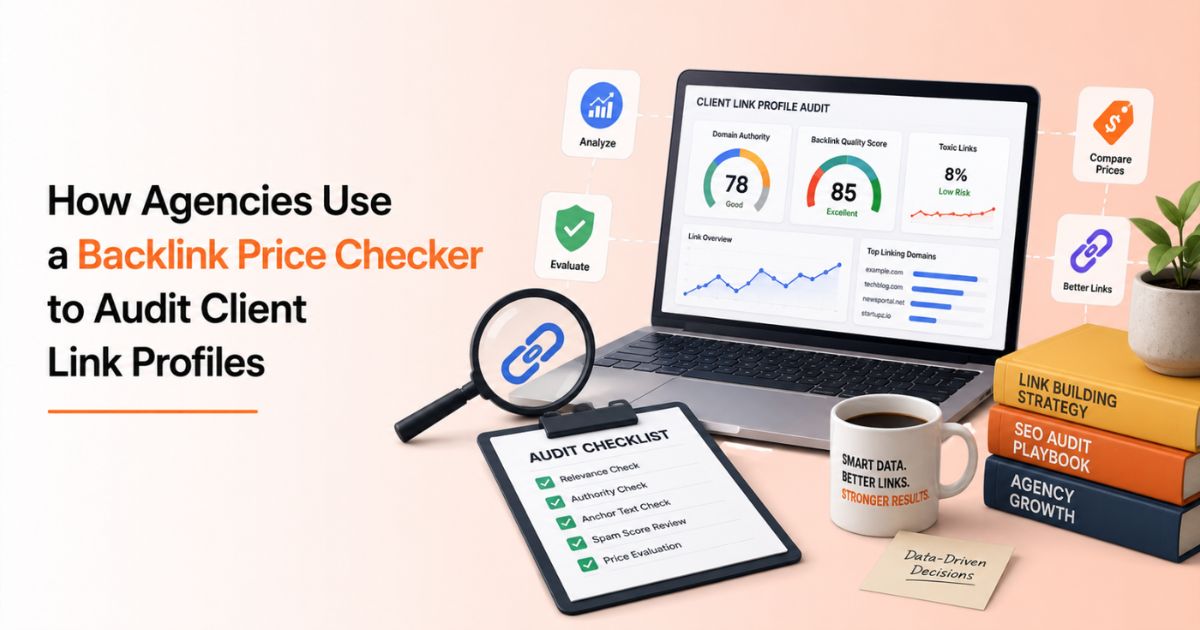
Most agencies default to a toxicity scan at this point: pull the referring domains, run them through a spam checker, flag anything ugly. That step matters, but it misses a second question entirely: was the client charged a fair price for what they got? A link from a DR 45 site that should cost $120 but the invoice says $600 tells you something a spam score never will: either the previous vendor was marking links up heavily, or the client was buying through a reseller layer nobody disclosed. A backlink price checking tool answers that question in bulk, and it's quickly becoming as standard to onboarding as a toxicity audit.
Why Price Belongs in Every Link Profile Audit
A standard backlink audit checks whether a link is safe: is the site indexed, is the anchor text natural, does the spam score sit in a healthy range. None of that tells you whether the placement was priced fairly relative to the market. Two links can pass every safety check and still represent wildly different value, one bought at market rate, one bought at three times market rate through a vendor taking an undisclosed mark-up.
Price is a diagnostic signal in its own right. A link that's suspiciously cheap relative to its stated DR often means the metrics were inflated or the “guest post” is actually a PBN placement. A link that's suspiciously expensive relative to what the same domain sells for elsewhere usually means someone added a markup the client never agreed to. Auditing price alongside quality gives you both halves of the picture: is this link safe, and did the client get what they paid for?
What a Backlink Price Checking Tool Actually Shows You
Run a domain through a backlink price checking tool, and you get the current, live market rate for a placement on that site, pulled directly from active marketplace listings, not an average or an estimate. Paired with the domain's DR, DA, organic traffic, referring domains, and spam score, that single row tells you whether a historical placement was reasonably priced, overpriced, or a red flag on its own.
WeblinkBuzz's backlink price checker pulls this data from 57+ guest post and link building marketplaces at once, so instead of opening each platform individually to see what a domain currently costs, you get every listing side by side in one search. For an audit, that means you can check backlink price and quality metrics for a client's entire referring domain list in minutes, not hours.
The 5-Step Framework for Auditing a Client's Link Profile
Step 1: Export the Existing Backlink Profile
Pull the client's full referring domain list from whatever SEO tool you have access to, Ahrefs, Semrush, or Google Search Console at minimum. This is your raw material. Include every domain, not just the ones that look suspicious; a clean-looking placement can still be badly overpriced.
Step 2: Run the List through a Bulk Backlink Price Checker
Paste the domain list, or upload it as a CSV, into a bulk backlink price checking tool. A tool built for agency-scale audits should handle a full client list, up to 100 domains at once, in a single pass, returning live pricing, DR, DA, organic traffic, and spam score for each one.
Step 3: Flag Price-to-Value Mismatches
This is where the audit earns its keep. Compare the current market price against what the client's records show they paid. A gap of 2–5× between what a domain currently sells for and what was invoiced is common enough on the open market that it isn't automatically a scandal, but it's exactly the kind of pattern that belongs in a client conversation, especially when it shows up repeatedly across the same vendor's placements.
Step 4: Cross-Check Quality Signals, Not Just Price
A domain can be priced fairly and still be a bad placement. Filter the flagged domains by organic traffic and spam score before drawing conclusions; a site with real, stable traffic and a healthy spam score justifies its price even at the higher end of a DR bracket, while a high-DR site with negligible traffic is a red flag regardless of what it cost.
Step 5: Build the Client-Facing Report
Turn the flagged list into something the client can act on: domain, current market price, what was paid, a DR/traffic snapshot, and a recommendation: keep, monitor, or investigate. Clients rarely have the context to interpret a raw export, but they understand “you paid $480 for a placement currently listed at $95 across three marketplaces” immediately.
Spotting a Previous Vendor's Mark-ups
Inherited link profiles are where this audit pays off fastest, because the agency handing off the account isn't in the room to explain its pricing. A backlink price checker turns “the last agency's invoices looked expensive” into a documented, domain-by-domain comparison against current market rates. The table below summarises the signals worth flagging and what each one typically means once you've run a client's link profile through a price checker.
|
Signal |
What It Usually Means |
Recommended Action |
|
Price paid is 2–5× current market rate |
Vendor mark-up or reseller layer |
Raise with the client; renegotiate future placements |
|
Domain no longer appears on any marketplace |
Site may be de-indexed, sold, or removed from inventory |
Verify the link is still live and indexed |
|
High DR, low organic traffic |
Possible inflated metrics or dormant/PBN-style domain |
Deprioritise; check spam score before deciding to disavow |
|
Price far below current market rate |
Placement may not be a genuine editorial link |
Manually review the live page and anchor text |
|
Consistent pricing pattern across one vendor's placements |
Systematic markup, not a one-off |
Document across the full list before the client conversation |
Bulk Backlink Price Checker vs. Manual Marketplace Checking
For a single domain, checking price manually takes a few minutes. For a 60-domain client audit, that same process stretches into hours of opening tabs, recording numbers, and cross-referencing spreadsheets, and that's before you've touched a second client account.
|
Task |
Manual, Marketplace by Marketplace |
Bulk Backlink Price Checking Tool |
|
Checking current price for one domain |
5–10 minutes per marketplace |
Seconds, across 57+ marketplaces at once |
|
Auditing a 50-domain client list |
Several hours minimum |
Minutes, via CSV upload |
|
Comparing paid price vs. market rate |
Manual spreadsheet cross-referencing |
Side-by-side view built into the search |
|
Running the same audit across 10 client accounts |
A full day or more |
Same workflow, repeated per client |
|
Cost |
Free, but expensive in agency time |
Free at WeblinkBuzz |
Auditing Multiple Client Accounts Without Multiplying the Work
Agencies rarely audit one account in isolation; link profile reviews tend to happen in batches, whether that's a quarterly check across the whole client roster or a wave of new-client onboarding. Because a backlink price checking tool handles bulk CSV uploads, the workflow scales the same way whether you're auditing one domain or a full agency roster of client link profiles: paste or upload each client's list, run it, and move to the next account instead of rebuilding the process from scratch every time.
It's also worth running a client's top competitors through a competitor backlink analysis alongside the audit. Seeing which domains a client's competitors are buying links from, and what those placements would cost today, gives the audit report a forward-looking half: not just “here's what you have,” but “here's what's realistically available to close the gap.” How Often Should You Re-Audit a Client's Link Profile?
A full price-and-quality audit at onboarding is non-negotiable, but it shouldn't be a one-time event. Marketplace pricing shifts, domains change hands, and previously healthy sites can lose traffic or pick up a rising spam score. A quarterly re-check is a reasonable default for active accounts, frequent enough to catch a vendor's pricing drifting upward or a placement quietly losing its value, without turning every month into a full audit cycle.
Turning the Audit Into a Report Clients Actually Understand
The output of a price audit only matters if the client can act on it. Keep the report to five columns: domain, DR/traffic snapshot, price paid, current market price, and a one-line recommendation. Skip the raw data dump. A client doesn't need forty rows of spam scores; they need to see, at a glance, which placements were fairly priced, which ones deserve a follow-up question, and which ones are worth renewing.
The Bottom Line
A link profile audit that only checks for toxicity is half an audit. The other half is price, and it's the half that shows a client exactly where their previous budget went. Run the next inherited client list through WeblinkBuzz's backlink price checker, compare it against what they were actually billed, and turn a spreadsheet nobody trusted into a report that explains itself.