
Site added
Buying a guest post is not just about finding a website with a high DR and a reasonable price.
The anchor text you use can affect how the new backlink fits into your existing link profile. If most of your backlinks already use the same keyword-rich anchor and you keep buying guest posts with that exact phrase, you may be creating an increasingly repetitive profile.
That is why an anchor text audit should happen before you buy another guest post.
There is no official Google formula that says your backlink profile must contain a specific percentage of branded, partial-match, or exact-match anchors. Instead, the goal is to understand your current distribution, identify obvious patterns, and choose anchors that make sense in context.
Google recommends descriptive and relevant anchor text that helps users and search engines understand the linked page.
This guide shows how to audit your anchor text profile before purchasing guest posts in 2026.
What Is an Anchor Text Ratio?
Anchor text is the clickable text used in a hyperlink.
For example:
Learn more about our technical SEO services.
Here, “technical SEO services” is the anchor text.
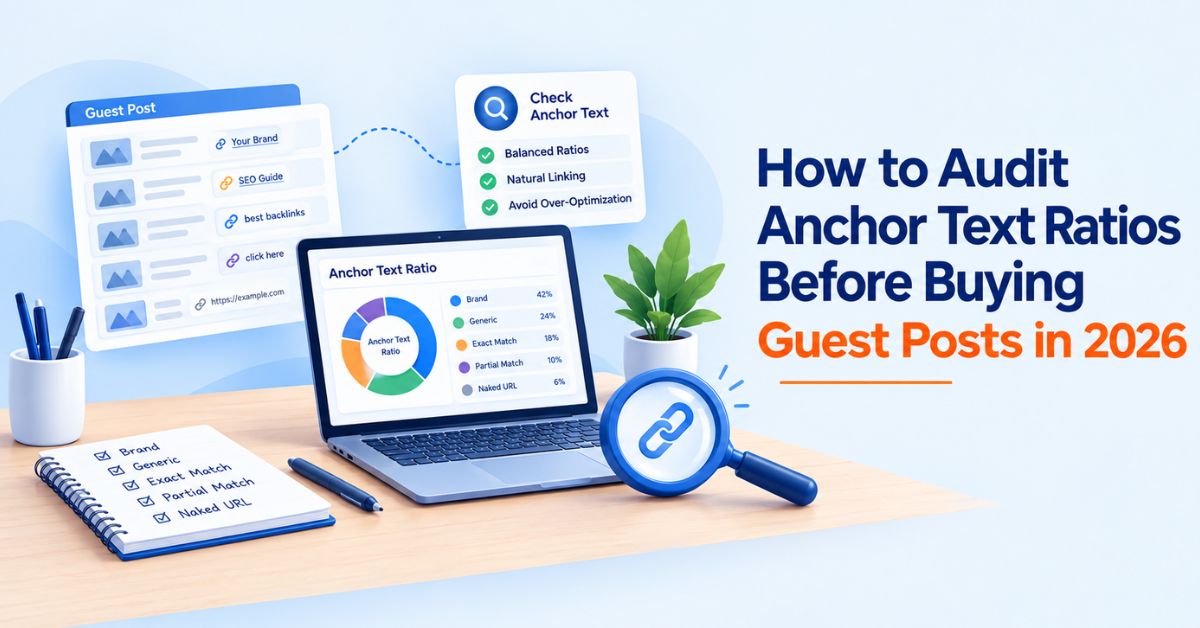
An anchor text ratio is simply the distribution of different anchor types across the backlinks pointing to a website or page.
Common categories include:
|
Anchor type |
Example |
|
Branded |
WeblinkBuzz |
|
Naked URL |
weblinkbuzz.com |
|
Exact match |
backlink price checker |
|
Partial match |
backlink price comparison tool |
|
Phrase match |
compare backlink prices |
|
Generic |
click here |
|
Other/contextual |
this backlink research tool |
SEO tools such as Ahrefs provide anchor reports that allow you to see the anchor text used across backlinks and identify potentially over-optimized patterns.
The important point is that the ratio itself is not a target to hit.
It is a diagnostic signal.
Why Check Anchor Text Before Buying a Guest Post?
A guest post gives you more control over the link than many naturally earned backlinks.
That control is useful, but it can also create a pattern.
Suppose a page already has:
-
12 backlinks using the exact keyword “backlink price checker”
-
8 backlinks using close keyword variations
-
15 branded or URL-based anchors
-
Several contextual anchors
Adding another guest post with the exact same keyword may not add much diversity.
The better question is:
What anchor would make this new backlink look natural within the profile that already exists?
Ahrefs recommends checking a site's backlink profile for over-optimized anchor text before acquiring links and notes that natural profiles tend to contain a high percentage of branded anchors.
Step 1: Define the Page You Are Building Links To
Start with the specific URL, not the domain as a whole.
This matters because a website can have a natural overall backlink profile while one commercial page has a very concentrated set of keyword-rich anchors.
For example:
Homepage
https://example.com/
Target page
https://example.com/backlink-price-checker/
The homepage may have hundreds of branded links, while the commercial page may have only 20 referring domains.
Audit the target URL separately.
Also record:
-
Primary topic
-
Main search intent
-
Target keyword
-
Related terms
-
Existing referring domains
-
Existing anchor text
-
Number of backlinks
-
Number of linking domains
This gives you a baseline before purchasing anything.
Step 2: Export the Existing Anchor Text
Use an SEO tool that provides backlink and anchor-text data.
Ahrefs, Semrush and similar platforms can help you identify the anchors pointing to a page or domain.
Create a simple spreadsheet with columns such as:
|
Anchor |
Type |
Linking domain |
Target URL |
Follow status |
Relevant? |
|
Example Brand |
Branded |
site.com |
Homepage |
Follow |
Yes |
|
example.com |
Naked URL |
site2.com |
Homepage |
Follow |
Yes |
|
backlink checker |
Exact |
site3.com |
Tool page |
Follow |
Yes |
|
this tool |
Generic |
site4.com |
Tool page |
Follow |
Yes |
You do not need a complicated scoring system.
The purpose is to see the pattern.
Step 3: Group the Anchors Into Categories
Raw anchor lists can contain hundreds of variations.
Group similar anchors together.
For example:
Branded
-
WeblinkBuzz
-
Weblink Buzz
-
WeblinkBuzz tool
Exact match
-
backlink price checker
Partial match
-
backlink price comparison tool
-
backlink checker tool
-
backlink price comparison
Naked URL
-
weblinkbuzz.com
Generic
-
click here
-
learn more
-
this website
This makes the distribution easier to understand.
Do not obsess over whether one anchor belongs in “partial” versus “phrase.” The useful question is whether the profile contains excessive repetition or obvious keyword targeting.
Step 4: Calculate Your Current Distribution
Now calculate the percentage of each anchor category.
For example, imagine a target page has 100 referring backlinks:
|
Anchor category |
Links |
Share |
|
Branded |
42 |
42% |
|
Naked URL |
18 |
18% |
|
Partial/phrase |
24 |
24% |
|
Exact match |
8 |
8% |
|
Generic |
8 |
8% |
This is a descriptive snapshot, not a recommended benchmark.
There is no universal rule saying that an exact-match anchor percentage of 8% is safe while 9% is dangerous.
Your next guest post should be evaluated against the entire profile and the context of the placement.
Step 5: Look for Repetition, Not Just Percentages
Percentages can hide important details.
Suppose your exact-match category is only 5%.
That sounds small.
But imagine that four of your last five purchased guest posts used the same exact-match anchor.
That pattern deserves attention even if the overall percentage looks low.
Look for:
Repeated exact-match anchors
If the same keyword appears repeatedly, consider using a branded, URL, or natural contextual variation for the next placement.
Multiple links to the same commercial page
A page receiving many deliberately optimized links deserves closer review than a page naturally earning varied references.
Sudden changes
Compare recent links with the older profile.
A backlink profile that historically contained mostly branded and URL anchors but suddenly receives many keyword-rich guest-post links may look very different from its previous pattern.
Anchor and page mismatch
The anchor should make sense for the page being linked to.
Google recommends anchor text that is descriptive, reasonably concise and relevant to the linked page.
Step 6: Check the Context Around the Anchor
Do not audit the clickable words alone.
Look at the sentence and paragraph around the link.
For example:
Businesses comparing backlink costs can use a backlink price checker to review publisher pricing before making a purchase.
This provides clear context.
Compare that with:
Get the best backlink price checker here.
The second example provides less useful context.
Google specifically recommends anchor text that helps users understand what they will find after clicking the link.
Context also helps you judge whether a guest post is genuinely relevant or whether the article exists mainly to place a link.
Step 7: Check the Host Website Before Choosing the Anchor
Anchor text is only one part of the guest-post decision.
Before purchasing a placement, evaluate the publisher itself.
Check:
-
Topical relevance
-
Organic traffic
-
Traffic trend
-
Referring domains
-
Content quality
-
Indexation
-
Outbound-link patterns
-
Existing guest-post content
-
Link placement
-
Publishing terms
-
Price
A high DR alone is not enough.
Ahrefs also highlights relevance, anchor text, placement and destination as important factors when evaluating backlink quality.
This is particularly important when comparing guest-post marketplaces because the same domain can appear at different prices on different platforms.
You can use the WeblinkBuzz backlink price checker to compare available guest-post and backlink listings alongside metrics such as DR, DA, traffic and referring domains.
Step 8: Compare the Proposed Anchor With Your Existing Profile
Now ask four questions before ordering:
1. Have I already used this exact anchor repeatedly?
If yes, consider another natural variation.
2. Does the anchor accurately describe the destination page?
If no, change it.
3. Does the anchor fit naturally into the article?
If the sentence sounds forced because of the keyword, rewrite it.
4. Does the new link add something different to the existing profile?
If your recent placements all use similar commercial anchors, another one may not be the most sensible choice.
This is a better process than choosing an anchor simply because it has the highest keyword volume.
What Anchor Text Should You Use for Guest Posts?
There is no universal guest-post anchor-text ratio that applies to every website.
Instead, consider the role of the new link.
Branded anchors
Examples:
-
WeblinkBuzz
-
Google
-
Ahrefs
Useful when the brand itself is the natural reference.
Naked URLs
Examples:
-
weblinkbuzz.com
These can work naturally when a URL is being referenced as a resource.
Partial-match anchors
Examples:
-
backlink price comparison tool
-
guest post price checker
-
backlink research platform
These can describe the destination without repeating the exact target keyword every time.
Exact-match anchors
Example:
-
backlink price checker
These are highly descriptive, but repeated use across deliberately acquired links can create a more obvious pattern.
Generic anchors
Examples:
-
learn more
-
this guide
-
view the resource
These are natural in some contexts, although they provide less information about the destination.
The objective is not to force every category into a predetermined percentage.
The objective is relevance, variety and natural context.
A Simple Anchor Text Audit Example
Imagine you want to purchase three guest posts pointing to:
example.com/seo-tools/
Your existing profile looks like this:
|
Anchor type |
Existing links |
|
Branded |
35 |
|
Naked URL |
20 |
|
Partial match |
25 |
|
Exact match |
15 |
|
Generic |
5 |
You then receive three guest-post opportunities.
Instead of automatically requesting the exact target keyword three times, review the existing distribution.
You might decide that:
Placement 1: Branded anchor
Placement 2: Relevant partial-match anchor
Placement 3: Natural contextual or URL anchor
The exact choices depend on the article, destination and existing profile.
The point is to avoid treating every guest post as an opportunity to repeat the same keyword.
Don't Copy a Competitor's Anchor Ratio
This is one of the most common mistakes in backlink analysis.
You may find that a competitor has:
-
50% branded anchors
-
20% partial-match anchors
-
5% exact-match anchors
-
25% other anchors
That does not mean your site should reproduce those numbers.
Their backlink profile may have developed through years of PR, editorial coverage, partnerships, citations, directories, digital assets and other activities.
Your site's profile has a different history.
Use competitor anchor data to understand the market and identify patterns, not to copy an exact percentage.
Should Exact-Match Anchors Be Avoided?
Not necessarily.
The problem is treating exact-match anchors as a target rather than one possible form of descriptive anchor text.
Ahrefs' large-scale study found only a relatively weak correlation between the percentage of exact-match anchored backlinks and rankings. It also cautions against interpreting correlation as proof that a particular anchor percentage causes rankings.
The more useful question is:
Does this exact-match anchor make sense here, and does it fit the broader backlink profile?
If the answer is yes, an exact-match anchor may be appropriate.
If every purchased guest post uses the same commercial keyword, the pattern deserves a closer look.
Guest Post Anchor Text Audit Checklist
Before buying a guest post, run through this checklist.
Target page
-
Is the destination URL correct?
-
What is the page's primary topic?
-
What anchors already point to it?
Existing anchor profile
-
What percentage is branded?
-
How many are naked URLs?
-
How many are exact-match?
-
Are partial-match anchors varied?
-
Are the same phrases repeated?
New placement
-
Is the proposed anchor relevant?
-
Does it fit the surrounding sentence?
-
Does the host article cover the same topic?
-
Is the placement editorial and contextual?
-
Does it create unnecessary repetition?
Publisher quality
-
Does the site have relevant organic traffic?
-
Is the content indexed?
-
Is the site topically relevant?
-
Does it publish excessive sponsored or guest content?
-
Are outbound links relevant?
-
Is the price reasonable compared with other listings?
Final decision
Do not approve the placement because the anchor percentage fits an arbitrary benchmark.
Approve it because the publisher, page, context, anchor and price all make sense together.
Use Price Data Alongside Anchor Data
Anchor-text analysis tells you whether a proposed link fits your backlink profile.
It does not tell you whether you are paying a reasonable market price.
Those are two separate checks.
For example, you could find a highly relevant publisher with a suitable anchor opportunity but discover that the same domain is listed for substantially different prices across marketplaces.
WeblinkBuzz is designed for this second part of the process.
Search the domain and compare available marketplace listings, prices and SEO metrics before purchasing.
You can also use the WeblinkBuzz websites database to research domains by metrics such as DR, DA, organic traffic, country and category.
This creates a more complete buying workflow:
Audit your existing anchors → evaluate the publisher → compare the placement → check the price → choose the anchor → purchase.
Final Takeaway
An anchor-text audit should not be about finding a magic percentage.
Before buying a guest post, look at the backlink profile you already have and ask whether the proposed link adds a relevant, useful and reasonably natural variation.
Check the anchor.
Check the context.
Check the publisher.
Check the target page.
Then check the price.
That approach gives you a much better basis for evaluating guest posts than choosing a placement simply because it has a high DR or because someone says your anchor profile should contain a specific percentage of each anchor type.
And when the publisher passes the quality check, compare its current marketplace prices before you buy. WeblinkBuzz lets you compare guest-post and backlink listings across multiple marketplaces so you can evaluate the placement and its price in the same research workflow.