
Site added
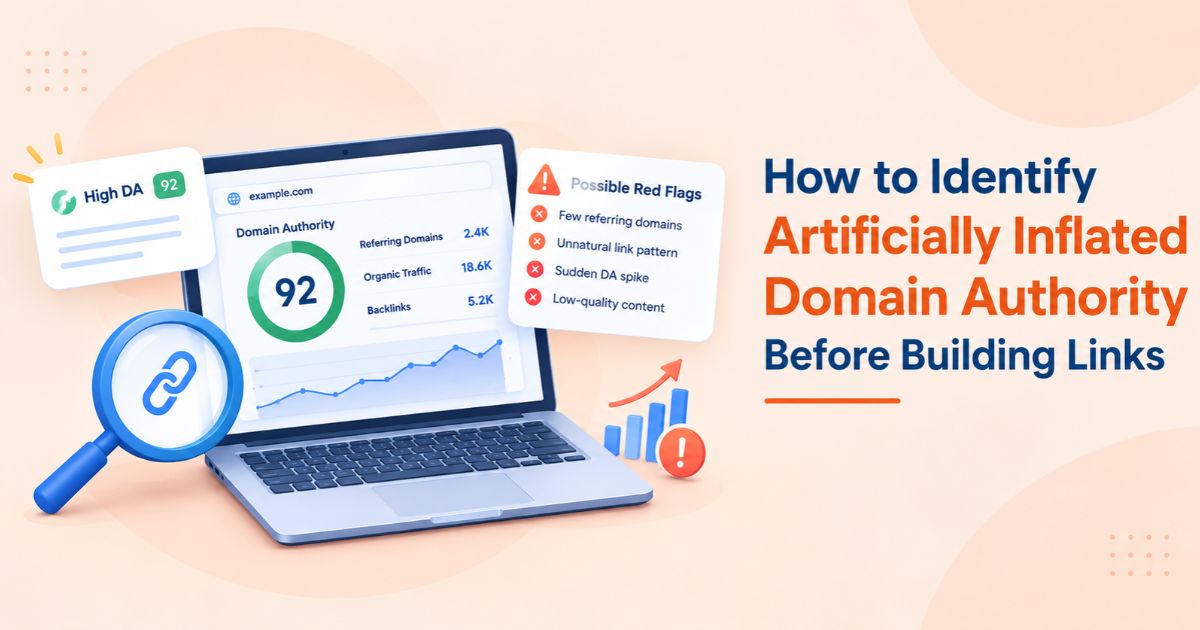
Artificially inflated domain authority is a DA or DR score that overstates a site’s real search visibility. A quick review of referring domains, anchor text, traffic history, indexed pages, outbound links, and topical fit, followed by a backlink price checker, shows whether a listing’s price matches its value.Teams lose budget when they pay for a headline metric and get a site with no audience. This guide gives you a repeatable due-diligence checklist, the warning signs to watch for, the limits of third-party SEO metrics, and a way to run the price test with WeblinkBuzz.
Quick Answer
Check seven signals before paying for a link:
-
Referring-domain growth
-
Anchor-text patterns
-
Organic traffic history
-
Indexed pages
-
Outbound-link behaviour
-
Topical alignment
-
Price against metrics
A site with a strong DR that fails two or more of the other signals is a risk.
What "Artificially Inflated" Domain Authority Looks Like
DA (from Moz) and DR (from Ahrefs) are third-party scores built mostly from link data. Neither is a Google metric. A score can rise without the site earning any audience, for example through:
-
bursts of low-quality or networked links pointing at the domain;
-
redirects or link equity inherited from an expired domain with an old backlink profile;
-
private blog network (PBN) links and reciprocal link swaps among related sites;
-
pages built to sell placements rather than to be read.
The result is a site with strong numbers, little organic traffic, and a price set by the number rather than by value.
The 7-Step Due-Diligence Checklist
Steps 1 to 6 use any SEO backlink checker (Ahrefs, Semrush, Moz, or similar) plus a few manual checks. Step 7 adds the price test.
1. Review referring-domain growth over time
Open the site’s backlink history and look at the growth curve for referring domains. Steady growth is normal. A sudden vertical jump followed by a plateau or a drop suggests purchased or networked links. Sample 20 to 30 of the linking domains: are they real sites in related topics, or thin pages with no traffic?
2. Inspect anchor-text patterns
A natural profile is dominated by brand names, URLs and varied phrases. Red flags are a large share of exact-match commercial anchors, anchors in unrelated languages, or anchors about unrelated niches (gambling, pharma, adult) pointing at a site that publishes about something else.
3. Study the organic traffic history
Look at 12 to 24 months of estimated organic traffic. Healthy sites show a stable or gradually rising line. Danger signs are sharp drops that line up with Google core or spam updates (Google Spam Policies), traffic concentrated in countries your audience does not live in, or almost no non-branded keywords. As a working rule of thumb, pair any DR threshold with a minimum organic traffic threshold for your niche, so a high DR with near-zero traffic never passes alone.
4. Compare indexed pages to published pages
Run a site: search on the domain and compare the result with the number of pages you would expect. The site: operator is only approximate, so treat it as a signal, not proof. Very few indexed pages on a large site, or thousands of indexed pages that are thin or auto-generated, both deserve a closer look. Also confirm that recent posts are indexed, because your placement must be indexed to count. If a link is live but not indexed, see our guide on diagnosing backlinks that are live but not indexed.
5. Audit outbound-link behavior
Open five recent posts and count outbound links. Warning signs: every article links out to commercial pages, links go to unrelated niches, sponsored content is unlabeled, or the site advertises "write for us" and "sponsored post" pages for every topic. A link on a page that already links to dozens of paying sites passes less value and carries more risk.
6. Test topical alignment
Read the homepage and the last ten titles. Does the site stick to a clear topic, language, and region that match your target page? A general site that publishes on health, crypto, travel, and casinos in the same week is a weak fit, whatever its DR. To shortlist sites in your niche, browse the category pages or filter the website catalog/domain search.
7. Use backlink price comparison as the final test
Price is evidence too. Check what the same site costs across marketplaces. A wide spread, or a price far above peers with similar traffic, means the listing is priced on the score. The next sections show how to run this step quickly.
Signal Summary Table
|
Signal |
Healthy pattern |
Red flag |
Where to check |
|---|---|---|---|
|
Referring domains |
Steady growth, relevant sources |
Sudden spike then flat or drop |
Ahrefs, Semrush, Moz |
|
Anchor text |
Brand, URL, and varied phrases |
Exact-match commercial or off-topic anchors |
Backlink report, anchors tab |
|
Organic traffic |
Stable or rising over 12 to 24 months |
Sharp drops, irrelevant countries |
Traffic estimate tools |
|
Indexed pages |
Indexed count fits content volume |
Few indexed, or thousands of thin pages |
site: search, Search Console |
|
Outbound links |
Few, relevant, labeled when paid |
Many commercial or unrelated links |
Manual review of 5 posts |
|
Topical fit |
Clear niche, consistent language |
Mixed unrelated topics |
Homepage and recent titles |
|
Price vs metrics |
In line with peers of similar traffic |
Priced on DR alone |
Price comparison across marketplaces |
Score Each Site Before You Buy
Give each of the seven signals 0 (red flag), 1 (unclear), or 2 (healthy). This is a suggested scoring system, so adjust it to your risk tolerance:
-
11 to 14 points: safe to proceed to price negotiation.
-
8 to 10 points: review manually, ask the publisher for Search Console screenshots, and compare prices.
-
7 points or fewer: skip the site, regardless of DR or DA.
Illustrative Example
-
Site A: Shows DR 62, but its traffic fell sharply after a core update and half its outbound links go to casino pages.
-
Site B: Shows DR 45 with steady traffic and a clear niche.
Site A’s listing costs more, yet Site B is the better buy.
To run this at scale, keep one prospect sheet with these columns:
-
Domain
-
DR / DA
-
Traffic trend (12 to 24 mo)
-
Referring-domain trend
-
Indexed pages
-
Niche fit
-
Lowest price
-
Score
-
Final decision (buy, review, skip)
Limits of Third-Party SEO Metrics
-
They are estimates: Traffic figures come from models, not from the site’s own analytics, and tools disagree with each other.
-
They lag: A penalty or traffic collapse can take weeks to appear in a score.
-
They measure links, not quality: No metric measures editorial standards, audience engagement, or whether a link will be seen.
-
They can be influenced: Link schemes and expired-domain redirects raise scores without creating real visibility.
-
They differ by vendor: DA and DR are calculated differently, so a site can look strong in one and weak in the other. Cross-check at least two tools.
Treat metrics as screening filters. For borderline sites, ask the publisher for Search Console screenshots or a short screen share. Screenshots can be faked, so combine them with the checks above.
What Is a Backlink Price Checker?
A backlink price checker is a tool that compares live guest post rates and publisher fees for a domain across multiple link-building marketplaces, with quality metrics such as DR, organic traffic, and referring domains shown beside each price. It lets you judge whether a price is justified without opening every marketplace yourself.
What to Look For
-
Prices from several marketplaces for the same domain, so you can see the spread.
-
Quality metrics beside the price: DR, DA, organic traffic, referring domains, niche, and spam score.
-
Bulk checking, so a team can screen a whole prospect list in one run.
-
Filters and sorting by DR, traffic, niche, and price.
-
Clear data freshness, such as a last-updated date per listing.
Types of Backlink Price Checkers
|
Type |
What it does |
Examples |
|---|---|---|
|
Marketplace aggregators |
Pull listings from many marketplaces into one searchable table |
WeblinkBuzz, LinkPricer, FatGrid |
|
Browser extensions |
Show prices for the site you are viewing or in search results |
WeblinkBuzz Chrome extension, Backlink Price Finder |
|
Price calculators |
Estimate a fair price from site metrics |
|
|
SEO suites |
Provide the quality metrics used in steps 1 to 6, not prices |
Ahrefs, Semrush, Moz |
How WeblinkBuzz Fits the Checklist
WeblinkBuzz compares prices from 22+ guest post marketplaces, including Adsy, Vefogix, Accessily, Getfluence, and WhitePress, and tracks 696K+ domains. It is free to sign up and shows DR, DA, organic traffic, referring domains, and niche data side by side. Use the domain search for a single site, the bulk guest post price checker for a prospect list, and the Chrome extension while you browse. The Guest Post Price Calculator helps sanity-check a quote.
-
Screen the prospect list with an SEO backlink checker for steps 1 to 6 and drop the failures.
-
Run the survivors through the bulk guest post price checker to see the spread across marketplaces.
-
Flag any listing priced well above peers with similar traffic.
-
Buy only from sites that pass both the quality score and the price test.
Typical Guest Post Price Ranges
|
Site profile |
Typical price per placement |
|---|---|
|
Low-DR sites |
From about $30 |
|
DR 40 to 60 (mid-authority) |
$100 to $500 |
|
DR 50 to 70 |
$100 to $800 |
|
Premium, high-traffic publications |
$1,000 and above, up to $10,000+ |
Anchor Text and Spam History Before You Buy
Vetting the host site is half the job. Once you pick a site, plan your own anchor text too: keep branded and URL anchors as the majority and use exact-match anchors sparingly across the campaign. Also search the domain for past manual-action or spam discussions and check whether its traffic dropped around known update dates. A cheap link on a penalized site costs more than it saves.
Pre-Purchase Checklist
-
Referring-domain growth is steady, with no unexplained spikes.
-
Anchor text is mostly branded and varied, with no off-topic commercial anchors.
-
Organic traffic is stable over 12 to 24 months and sits in relevant countries.
-
Indexed pages match the content volume, and recent posts are indexed.
-
Outbound links are few, relevant, and labeled when paid.
-
The site’s topic and language match your target page.
-
The price is in line with peers of similar traffic on other marketplaces.
-
DR or DA is never the only reason to buy.