
Site added
Most SEO conversations start with content what to write, which keywords to target, which pages need better on-page work. Link building comes next: building authority, earning references, and running seo outreach. Technical SEO tends to get mentioned last, if it gets mentioned at all.
That ordering causes a real problem. A page can have strong on-page optimization and a solid backlink profile and still underperform because Google can't crawl it properly, can't tell which version is canonical, or renders a blank shell instead of your content. Before any optimization effort pays off, the technical foundation underneath it has to actually work.
This is where a technical SEO checklist earns its keep not as a one-time launch task, but as a recurring gate you run before investing further in content or links. The ten problems below are the ones that most commonly slip past standard audits, because they rarely throw an obvious error. They just quietly cap how much of your optimization work ever reaches search results.
Tools like WeblinkBuzz's backlink price checker (weblinkbuzz.com/backlink-price-checker) are built to help you evaluate guest post and link opportunities once your pages are ready to earn them but that step only pays off after the technical layer beneath it is solid.
Why “Before Optimization” Is the Right Order
Optimization usually means improving something that already works: refining a title tag, expanding thin content, or acquiring a relevant backlink through targeted contextual link building. Each of those assumes the underlying page is crawlable, indexable, and stable enough for the improvement to register.
When that assumption is wrong, optimization work doesn't fail loudly — it just underperforms quietly. A rewritten page with a canonical tag pointing elsewhere won't rank for the rewrite. A new backlink pointing at a page blocked in robots.txt won't pass any value. A well-optimized page that never gets crawled because it sits twelve clicks deep in a broken navigation structure won't show up at all. Running a technical SEO checklist first means every dollar spent on content or backlink campaigns afterward has a working page to land on.
10 Overlooked Technical SEO Problems
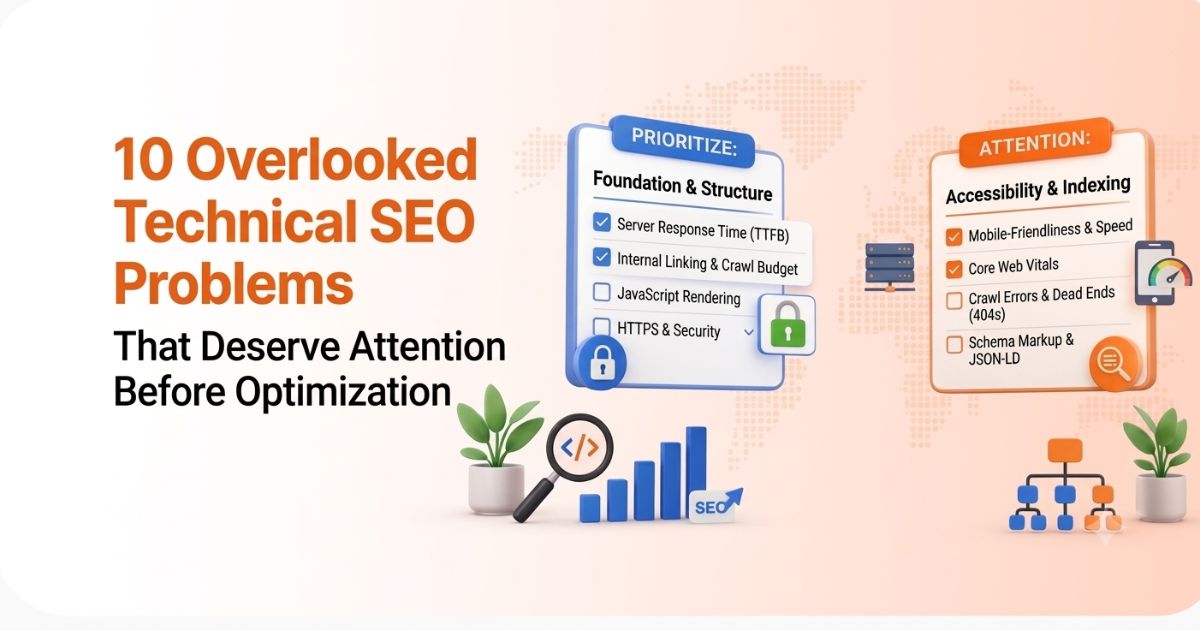
Standard technical audits catch the obvious issues missing title tags, broken links, slow page speed. These ten sit a layer deeper, and they're the ones worth building into any recurring technical SEO checklist.
1. Crawl Budget Wasted on Low-Value URLs
Faceted navigation, filter combinations, session IDs, and internal search result pages can generate a near-limitless number of URLs. On larger sites, e-commerce catalogs, marketplaces, and directories, Googlebot can spend a meaningful share of its crawl budget on these variants instead of the pages that actually need to rank.
Where to check: Search Console's Crawl Stats report, or server log files if you have access to them. Compare what's actually being crawled against the URLs that matter.
What to do: Use robots.txt to block crawling of parameter patterns that add no unique value, and canonical tags to point variant URLs back to the clean version. Don't rely on robots.txt alone to keep a page out of the index that requires noindex, since a blocked page can sometimes still appear in results.
2. Orphan Pages With No Internal Links
A page can be live, technically sound, and even listed in your XML sitemap, yet still be orphaned if nothing on the site links to it. Google primarily discovers and re-crawls pages through links, so a page with zero internal links depends entirely on the sitemap for discovery and rarely competes well once found, since it carries no internal authority.
The most common cause is a site restructure: old category pages, discontinued product pages, or blog posts that were published but never linked from a hub or category page.
What to do: Crawl your own site with a tool that follows links the way Googlebot does, then compare that crawl against your sitemap. Any URL in the sitemap with zero inbound internal links is orphaned.
3. Index Bloat From Thin or Duplicate Pages
Auto-generated tag pages, near-duplicate location pages, print-friendly duplicates, and unpaginated archive pages all add up. Each low-value indexed page dilutes the overall quality signal Google associates with the domain, even if no single page is problematic on its own.
What to do: Audit total indexed page count against the pages that actually generate traffic or conversions. Consolidate near-duplicates with a 301, and noindex low-value auto-generated pages rather than letting them accumulate indefinitely.
4. Canonical Tag Conflicts
Self-canceling canonicals, cross-domain canonical mistakes, and canonicals pointing at a redirected or noindexed URL all send Google conflicting signals about which version of a page should rank. Parameter URLs that canonicalize inconsistently sometimes to the clean URL, sometimes to another variant are a common source.
This is a site-wide version of a problem that also shows up at the page level once you're evaluating specific backlink placements, covered in more depth in WeblinkBuzz's technical backlink audit guide. That guide checks canonicalization on the pages hosting your backlinks; this checklist checks it across your own site first.
What to do: Audit self-referencing canonicals across every major template, and confirm every canonical target returns a 200 status and isn't itself redirected elsewhere.
5. JavaScript-Rendered Content Invisible to Crawlers
Client-side rendered frameworks like React, Vue, and Angular that don't pre-render or server-side render critical content create a two-stage crawl problem. Googlebot can render JavaScript, but rendering happens in a second wave, and content that depends on further API calls or user interaction can be missed or delayed well past the initial crawl.
This is especially damaging on pages where the core value product listings, pricing tables, marketplace inventory loads only after the JavaScript executes.
What to do: Use the URL Inspection tool to compare the raw crawled HTML against the rendered screenshot. If the content you care about only shows up in the rendered version, consider server-side rendering or a hybrid rendering approach for template pages.
6. Core Web Vitals Failing at the Template Level
Google's Core Web Vitals Largest Contentful Paint (LCP), Interaction to Next Paint (INP), and Cumulative Layout Shift (CLS) are evaluated using real Chrome user data at the 75th percentile. The current “good” thresholds are LCP under 2.5 seconds, INP under 200 milliseconds, and CLS under 0.1. INP replaced First Input Delay (FID) as the responsiveness metric in March 2024, so any checklist still referencing FID is out of date.
The overlooked part is that Google evaluates Core Web Vitals per page, not per site. A fast, well-optimized homepage can mask a product template, blog template, or category template that's failing badly, and those templates are usually where the traffic actually lands.
What to do: Check the Core Web Vitals report in Search Console grouped by URL pattern or template, not just the homepage.
7. Redirect Chains and Loops
A redirect chain, URL A sending to B, which sends to C, wastes crawl budget and can dilute the value passed through each hop. A redirect loop, where A eventually points back to itself, blocks indexing entirely. Both are common after repeated site migrations or URL restructures where old redirects were never updated to point directly at the final destination.
What to do: Map your redirects end to end and collapse any chain longer than one hop down to a single, direct redirect.
8. Missing or Broken Structured Data
Structured data that's missing entirely, or present but throwing validation errors, disqualifies a page from FAQ, review, product, and article rich results — even if the underlying content would otherwise qualify. Markup that describes content the page doesn't actually have is just as risky, since it can trigger a manual action rather than an enhancement.
What to do: Run affected templates through the Rich Results Test and review the Enhancements reports in Search Console for validation errors, not just warnings.
9. XML Sitemap and Robots.txt Misalignment
A sitemap that lists URLs blocked by robots.txt or marked noindex sends Google conflicting signals about which pages actually matter. The reverse problem new pages missing from the sitemap simply slows discovery. Both are easy to miss because they don't break anything visibly; they just quietly work against each other.
What to do: Cross-reference your sitemap URLs against robots.txt rules and canonical/noindex status on a recurring schedule, not just when the sitemap was first built.
10. Mobile Usability Gaps in a Mobile-First Index
Since Google indexes primarily using the mobile version of a page, viewport misconfigurations, tap targets spaced too closely, intrusive interstitials, and content that only loads on desktop all create indexing gaps that are easy to miss if you're auditing from a desktop browser.
What to do: Use the Mobile Usability report in Search Console alongside manual testing on an actual mobile device a responsive layout that looks fine visually can still fail on tap-target spacing or viewport configuration.
Quick Technical SEO Checklist
A condensed summary of the ten issues covered above, along with primary diagnostic locations and typical priority levels:
|
# |
Problem |
Where to Check |
Priority |
|
1 |
Crawl budget wasted on low-value URLs |
Crawl Stats report, server logs |
High |
|
2 |
Orphan pages with no internal links |
Site crawl vs. XML sitemap |
High |
|
3 |
Index bloat from thin/duplicate pages |
Page Indexing report |
Medium |
|
4 |
Canonical tag conflicts |
Site-wide canonical audit |
High |
|
5 |
JS-rendered content invisible to crawlers |
URL Inspection tool |
High |
|
6 |
Core Web Vitals failing by template |
Core Web Vitals report (by URL group) |
Medium |
|
7 |
Redirect chains and loops |
Redirect mapping/crawl tool |
Medium |
|
8 |
Missing or broken structured data |
Rich Results Test, Enhancements report |
Medium |
|
9 |
Sitemap and robots.txt misalignment |
Manual cross-check |
High |
|
10 |
Mobile usability gaps |
Mobile Usability report |
High |
Why Technical Health Comes Before Content and Link Building
Earning high-quality backlinks only creates real ranking value when the destination page can actually be crawled, indexed, and correctly canonicalized. A relevant, well-placed backlink pointing at a page with a broken canonical or blocked by robots.txt effectively passes its value nowhere — the placement looks good in a report, but it isn't moving the needle.
Run this checklist against your own site first, then apply page-level checks — like the ones in WeblinkBuzz's technical backlink audit guide to the external sites you are evaluating for placement. One covers the foundation you build on; the other covers the links you acquire.
Where SEO Outreach and Link Submission Fit In
Once the technical layer is confirmed, seo outreach and manual link submission workflows start compounding instead of leaking value. Outreach-acquired links sent to pages with clean canonicals, working redirects, and mobile-usable templates pass their full weight. The same effort sent to a page still carrying unresolved technical issues delivers only a fraction of its potential impact.
A quick pre-check before any promotion push: confirm the target landing page is indexed, returns a 200 status, has no conflicting canonical, and passes Core Web Vitals at the template level — not just on the homepage. Treat outreach as the accelerator, not the starting point.
Turning This Into a Repeatable Technical SEO Checklist
A one-time audit fixes what's broken today. A repeatable process run quarterly, or after any major site change, migration, or CMS update, catches what breaks next. Redirect chains reappear after migrations. Orphan pages accumulate after content reorganizations. Structured data breaks quietly when a template gets updated for an unrelated reason.
Treat the ten problems above as a standing checklist rather than a launch-day task, and revisit it before committing meaningful budget to new content or ongoing link development.
Ready to Move From Technical Foundation to Link Strategy?
Once your technical SEO checklist is clear, the next step is deciding where to invest in authority—whether through targeted outreach for specific pages or a monthly contextual backlinks service for ongoing growth. WeblinkBuzz helps you make data-driven decisions by making market pricing completely transparent. Before committing to a contextual backlinks service or guest post package, compare backlink prices across 22+ marketplaces side by side, or explore our full marketplace catalog (weblinkbuzz.com/websites) to review Domain Rating (DR), publisher metrics, and live pricing.