
Site added
Quick Answer
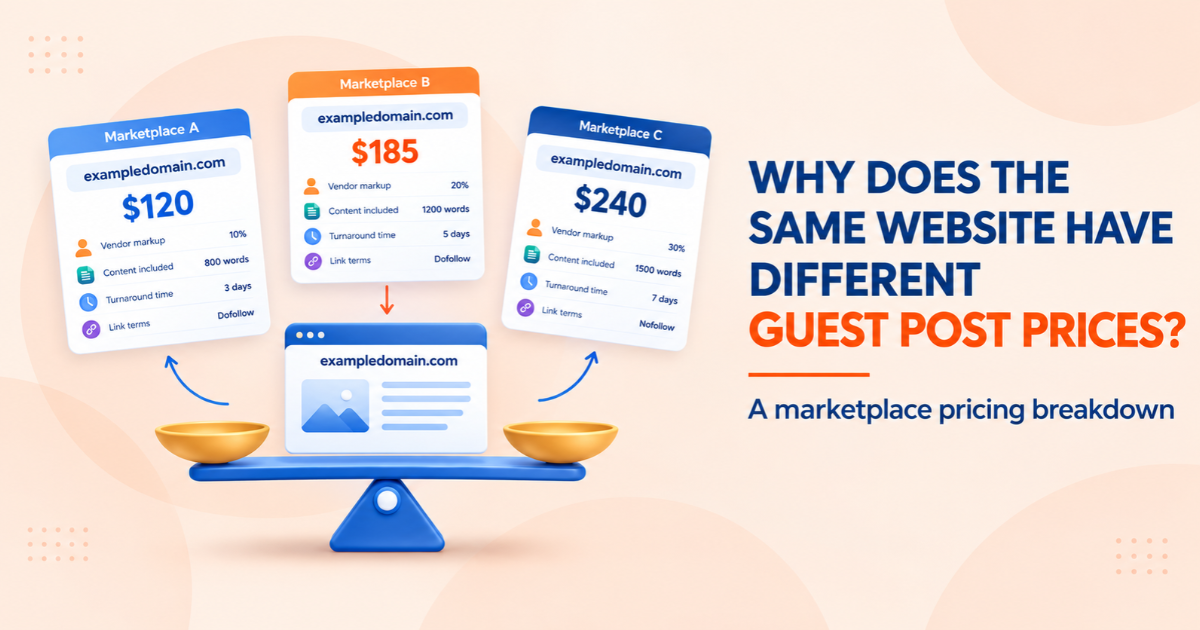
The same website can have different guest post prices across marketplaces because each seller sets its own rate. The final price may reflect reseller markups, included services such as writing and editing, link terms, publisher agreements, and how recently the listing’s metrics were updated. The website may be the same, but the package being offered often is not.
To compare offers fairly, check the same link type, content scope, publication terms, and current site metrics. A guest post price comparison tool can help you review multiple listings in one place, but confirm the final price and terms with the seller.
Introduction
Have you ever checked the same website on three guest post marketplaces and found three different prices? The difference is not always a better deal or a higher-quality placement. It can come down to reseller markups, content services, publisher agreements, and outdated listing data. Understanding these factors helps you compare the actual cost before spending your link-building budget.
A guest post price comparison tool such as WeblinkBuzz lets you search for a domain and compare listed prices alongside available metrics such as Domain Rating (DR), estimated organic traffic, and niche. These details can help you assess listings, but they do not replace checking the publisher’s current terms or verifying metrics independently.
What You Are Actually Seeing: One Site, Three Quotes
The example below is hypothetical. It illustrates how different packages and fees can affect the total cost; it is not actual WeblinkBuzz pricing.
|
Item |
Marketplace A |
Marketplace B |
Marketplace C |
|
Listed placement price |
$120 |
$210 |
$175 |
|
Listing source |
Reseller |
Reseller with managed service |
Publisher-direct listing |
|
Article writing |
Buyer supplies article |
Included |
Buyer supplies article |
|
Platform/payment fees |
Platform fee at checkout |
None shown |
Payment fee |
|
Metric refresh date |
Unknown |
Recent |
Recent |
|
Other costs |
Writing and platform fee may apply |
No writing fee shown separately |
Payment fee may apply |
|
Normalized total |
Confirm writing + checkout fee |
Confirm any additional fees |
Confirm payment fee |
Marketplace A appears cheapest at first glance. Once you account for writing and checkout fees, the difference may narrow. The example does not establish that any marketplace is better; it shows why the headline price rarely tells the whole story.
Use this formula to normalise quotes before comparing them:
Total purchase cost = Placement price + Writing fee + Platform fees + Other required charges
This is the total purchase cost, not a measure of SEO value. Two placements at the same price can still differ in quality and relevance.
Why the Same Site Gets Different Prices
1. Who sits between you and the publisher
Some marketplaces list websites through direct publisher relationships. Others resell inventory sourced from another marketplace or broker. Each layer can add a margin. BuzzStream’s guest post cost study reports estimated average prices of roughly $295 for direct-site pricing and $461 through a vendor. However, its direct-site figure is an estimate based on the lowest observed vendor price as a proxy, not a verified average of completed publisher-direct transactions. Treat the figures as an indication of possible price differences, not a universal fee.
Source: BuzzStream, “The Cost of Guest Posts” — https://www.buzzstream.com/blog/guest-post-costs/
2. What is bundled into the price
Two quotes may include different levels of service, such as:
· Article writing, or a requirement that you supply your own content
· Editing, images, and formatting
· Outreach and publisher negotiation
· Revisions and turnaround time
· Reporting after publication
A higher quote that includes writing and project management may cost less overall than a lower quote where you must arrange everything yourself.
3. The link terms behind the number
“Guest post” is not one standard product. Before ordering, check:
· Whether the article carries a visible sponsored-content disclosure
· Which HTML rel attribute the link uses, such as sponsored or nofollow
· How many links are allowed in the article
· How long the placement is expected to remain live and what guarantees apply
· Whether the publisher accepts content in your niche
A visible sponsored label and an HTML rel attribute serve different purposes. Google recommends qualifying paid links with rel="sponsored"; rel="nofollow" is also accepted. A disclosure alone does not make a paid link compliant if the link passes ranking credit. Confirm the publisher’s link attributes and terms before you buy.
Reference: Google Search Central, “Qualify your outbound links” — https://developers.google.com/search/docs/crawling-indexing/qualify-outbound-links
4. Metrics that are stale or self-reported
Sellers may consider Domain Rating (DR), estimated organic traffic, niche, and other signals when setting prices. If one marketplace refreshed a site’s data recently and another uses older data, their listings may tell different stories. Traffic estimates also vary by SEO tool, so verify important metrics with a consistent data source before making a decision.
5. Niche restrictions and sensitive categories
Publishers may charge different rates or decline placements for topics they consider more commercially sensitive, such as finance, health, or gambling-related content. A marketplace with current publisher rules may quote a different price from one relying on an old listing. Always confirm niche acceptance and pricing directly.
6. Negotiated rates, volume, and demand
An agency ordering regularly may negotiate a different rate from a one-time buyer. Publishers can also change prices as demand shifts or order capacity changes. Marketplaces may update their listings at different times, so the same domain can appear at different prices.
Why the Cheapest Quote Is Not Always the Best Deal
A low price can reflect efficient sourcing, but it can also mean that something is excluded. Compare:
· Total cost: include writing, platform fees, and revision charges.
· Terms: confirm the link attribute, disclosure, publication period, and any guarantee.
· Site quality: review topical relevance, estimated organic traffic, content quality, and signs of spam.
If you are comparing prices for a client, record the assumptions behind each quote. That makes budget decisions easier to explain later.
How to Compare Guest Post Prices Step by Step
1. Define the placement: link type, word count, who writes the article, and publication terms.
2. Collect quotes for the same domain and placement type.
3. Normalise the scope by adding writing, image, platform, and other required fees.
4. Check metric freshness and verify DR and estimated organic traffic using a consistent SEO data source.
5. Investigate outliers: unusually low prices may omit services; unusually high prices may include work you do not need.
6. Record the domain, quotes, retrieval date, metrics, and terms so the comparison can be reviewed later.
Doing this manually across many marketplaces takes time. A comparison tool can speed up the initial review, while final quotes and terms should still be confirmed with the seller.
Using a Guest Post Price Checker for a Single Domain
A guest post price checker helps you see listed prices for a domain across the marketplaces it covers. Review the available pricing alongside DR, estimated organic traffic, and niche information.
· Does each listing include the same content and placement scope?
· Are the metrics recent and comparable?
· Does the lowest listing include all required fees and the terms you need?
Treat results as a starting point for comparison, not a final invoice. Prices and availability can change.
What to Look for in a Backlink Price Comparison Tool
|
What to check |
Why it matters |
|
Marketplace coverage |
More sources can reveal a broader range of listed prices. |
|
Side-by-side comparisons |
Makes it easier to review the same domain without opening many tabs. |
|
Metrics alongside pricing |
DR, estimated traffic, and niche help provide context beyond price. |
|
Data freshness |
Outdated listings can make comparisons misleading. |
|
Domain search |
Lets you check the specific site under consideration. |
|
Clear access and export limits |
Helps you understand what can be checked before planning a larger workflow. |
Checking Many Domains at Once With a Bulk Backlink Checker
Agencies often evaluate long domain shortlists for one client. A bulk backlink checker designed for pricing can help compare multiple domains in one workflow. Depending on the tool, you may be able to paste a list or upload a CSV; check the live tool’s current limits before preparing your list.
7. Build a shortlist based on topical relevance first.
8. Run the domains through the pricing checker and sort the results.
9. Filter out domains that do not meet your traffic, authority, or quality requirements.
10. Compare the lowest listing with other available offers for the strongest candidates.
11. Request final quotes only for domains that pass your filters.
Filtering for relevance before price helps keep the shortlist focused on placements that make sense for the target website.
Vet the Site Before You Pay the Lowest Price
· Pair DR with estimated organic traffic; DR alone does not establish audience quality.
· Check for unusual traffic drops, thin content, unrelated topics, and other possible spam signals.
· Review the site's content mix and whether it publishes useful editorial content beyond sponsored articles.
· Confirm topical relevance between the publisher’s audience and your website.
· Plan anchor text naturally across the campaign and avoid repetitive, manipulative exact-match patterns.
· Confirm the visible sponsored disclosure and HTML link attribute separately. Google recommends rel="sponsored" for paid links and accepts rel="nofollow".
Pre-Purchase Checklist
☐ Placement scope defined: link type, article length, and publication terms
☐ Quotes gathered for the exact same domain
☐ Writing, fees, and revisions included in the total cost
☐ DR and estimated organic traffic verified consistently
☐ Spam signals and traffic history reviewed
☐ Content quality and topical relevance checked
☐ Anchor text planned across the campaign
☐ Disclosure and link attribute confirmed with the publisher
Conclusion
The same website can have different guest post prices because marketplaces differ in markups, bundled services, link terms, metric freshness, and publisher agreements. Once you compare those factors, the gap becomes easier to evaluate.
To make the initial comparison faster, try the WeblinkBuzz guest post price comparison tool: www.weblinkbuzz.com. You can search for a domain and review available prices alongside metrics such as DR, estimated organic traffic, and niche. Verify the final price, availability, and placement terms with the seller before committing your budget.