
Site added
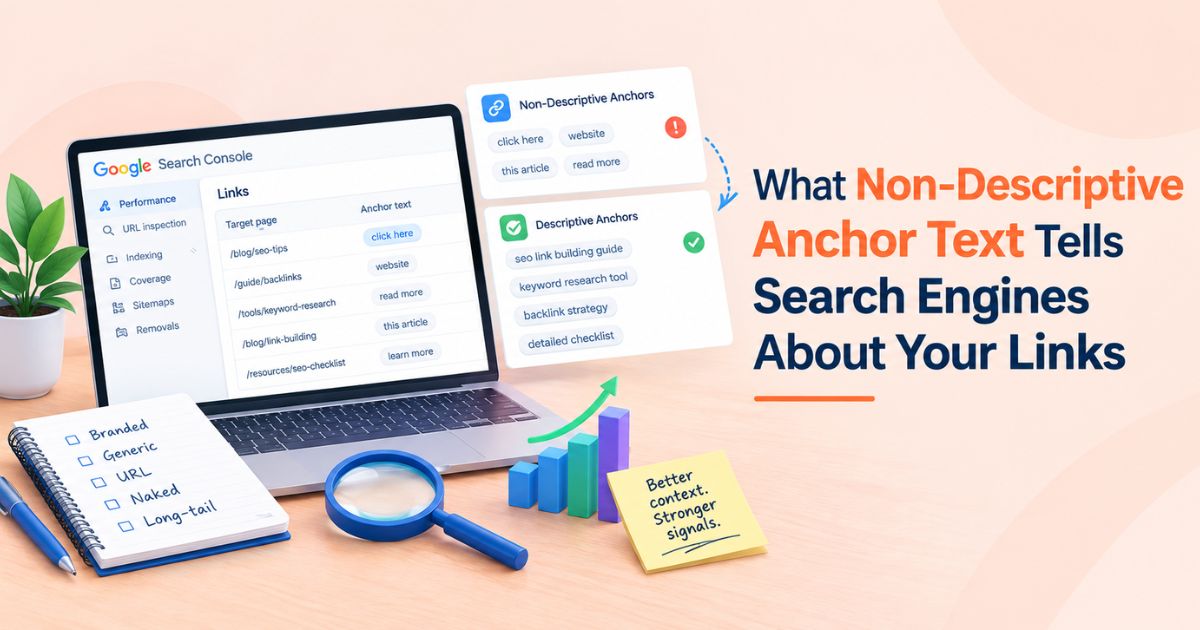
Open any backlink report and you will find a long tail of links that say "click here," "read more," a bare URL, or just a brand name. Some of those links were placed on purpose. Most simply happened. The question worth asking is what search engines can actually learn from them.
The short answer: non-descriptive anchor text tells search engines very little about the destination page on its own. Google then relies more heavily on the text around the link, the page that hosts it, and the page it points to. That is not automatically bad, but it changes how you should audit a link profile and how you should judge a link before you pay for it. This guide explains the mechanics, the real risks, and a practical audit routine. If you also buy placements, the WeblinkBuzz backlink price comparison tool can help you weigh cost against quality once your anchor strategy is settled.
|
Quick answer Non-descriptive anchor text (generic phrases, bare URLs, empty image links) gives search engines little topical context from the link itself. Google's own guidance asks for anchor text that is descriptive, reasonably concise and relevant to both the linking page and the target page. Natural profiles still contain plenty of non-descriptive anchors, so the goal is balance, not elimination. |
What Counts as Non-Descriptive Anchor Text?
Anchor text is the visible, clickable text of a link. Google describes it as telling people and Google something about the page being linked to. Anchors fall on a spectrum from highly descriptive to empty. The ones below sit at the low-information end.
|
Anchor type |
Example |
What it communicates |
|
Generic |
"click here", "read more", "this page" |
Nothing about the topic. The reader and the crawler must infer it from surrounding text. |
|
Naked URL |
https://example.com/guide |
Names the destination but describes nothing about its content. |
|
Branded |
"Acme Tools" |
Identifies the site or company, not the subject of the linked page. |
|
Image link, empty alt |
A logo wrapped in a link with no alt text |
Nothing. Google reads an image link's alt text as its anchor, so a blank alt leaves the link with no text at all. |
|
Descriptive (for contrast) |
"guide to bulk guest post price checks" |
States what the destination covers, which is what Google's guidance asks for. |
What Search Engines Actually Learn From These Links
Google's link best practices say that good anchor text is descriptive, reasonably concise, and relevant to the page it sits on and the page it links to. The guidance adds that better anchor text makes it easier for people to navigate and for Google to understand the linked page. A generic anchor skips that help. The signal it sends is weak, not negative.
In practice, three things fill the gap when the anchor itself says nothing:
• The surrounding sentence. A link inside "our full audit checklist covers canonical tags, click here to see it" still sits next to useful words.
• The topic of the host page. A generic link from a page about technical SEO still arrives with topical context.
• The destination page. The linked page's own content, headings and title remain the main source of truth about what it covers.
That last point is worth holding onto. Anchor text is one input among several. A page with strong content and a mixed anchor profile is rarely held back by a few "read more" links.
Technical details matter too. Google can generally crawl a link only when it is an HTML anchor element with an href attribute, and if you insert anchor text with JavaScript, the guidance recommends confirming the text appears in the rendered HTML using the URL Inspection Tool. A link whose text never renders is effectively non-descriptive, whatever you intended.
How Surrounding Text Supplies the Missing Context
When the anchor says little, the words beside it do more work. A useful way to think about this is co-occurrence: which topic terms appear near the link. Some SEOs call it n-gram proximity, meaning how close topic phrases sit to the link. It is a helpful audit lens, but Google has not documented how many words around a link it reads or how it models them. Treat any specific window you see quoted as a working assumption, not a rule.
What holds regardless of the exact window is the practical advice: keep the topic words in the same sentence or the one next to it. Compare these two versions of the same generic link.
|
Version |
Example |
Topic terms near the link |
|
Weak context |
"Looking for more help? Click here." |
None. The link has nothing to borrow from. |
|
Stronger context |
"Our checklist for auditing anchor text covers branded, naked URL and generic links. Click here to read the full guide." |
audit, anchor text, branded, naked URL, generic, guide |
Three habits follow from this:
• Put the topic phrase in the sentence that holds a generic or branded link.
• Keep the host paragraph on topic. A relevant link dropped into an off-topic paragraph loses the benefit.
• When vetting a guest post, read the paragraph around the placement, not only the anchor.
Why a Few Non-Descriptive Anchors Are Healthy
Real editors do not write anchors the way SEOs would. When other sites link to you without prompting, they use brand names, bare URLs, headlines and casual phrases. A profile made entirely of keyword-rich anchors looks arranged rather than earned.
Google's spam policies address this directly in the link spam section, which covers manipulative linking practices including keyword-rich anchors placed at scale through campaigns. The anchor is rarely the whole problem. The risk comes from the combination of a placed link, a repeated commercial anchor and a low-relevance host.
|
Worth knowing Google does not publish an ideal anchor-text ratio. Any exact percentage you see quoted is a third-party rule of thumb, not an official threshold. Use ratios as a way to spot outliers in your own profile, not as a target to hit. |
Where Non-Descriptive Anchors Do Cause Problems
On your own internal links
You control internal anchors, so there is little reason to waste them. Google advises that every page you care about should be linked from at least one other page on your site. Replacing "read more" with a phrase that names the destination gives crawlers and readers the context for free.
In chains of adjacent links
Google also advises against chaining links next to each other, because readers struggle to tell them apart and each link loses its surrounding text. A row of bare URLs or "here, here and here" is the worst case.
On image links
Google uses an image link's alt text as its anchor text. An empty alt on a linked image leaves the link with no anchor at all.
<!-- Bad: empty anchor context -->
<a href="/guide"><img src="banner.jpg" alt=""></a>
<!-- Good: descriptive anchor context -->
<a href="/guide"><img src="banner.jpg" alt="Comprehensive backlink audit guide"></a>
Keep the alt text short and specific to the destination. The same fix helps screen reader users.
For accessibility
Screen reader users often navigate by pulling up a list of links out of context. A list of ten identical "click here" entries is unusable. Descriptive anchors fix this and help search engines at the same time.
How to Run an Anchor Text SEO Audit
An anchor text SEO audit does not need special software. Run this routine on your own site first, then on any competitor you are benchmarking.
1. Export your backlinks. Use an SEO backlink checker or the link report in Google Search Console to get a list of linking pages with their anchors.
2. Group anchors by type. Sort each into branded, naked URL, generic, partial match, exact match and image. A spreadsheet pivot is enough.
3. Look for repetition, not just presence. One generic anchor is noise. The same commercial phrase repeated across many unrelated hosts is a pattern worth investigating.
4. Check the host context. For each outlier, ask whether the sentence around the link and the host page actually relate to your topic.
5. Review paid placements separately. Google says links you were paid for should be qualified with sponsored or nofollow. Confirm the attributes match how each link was acquired.
6. Fix what you control. Improve internal anchors and image alt text now. For external links, a polite edit request works for a few cases, but you cannot rewrite a profile you did not place.
Choosing Anchors When You Buy Guest Posts
Paid placement is where anchor decisions carry the most risk, because you often choose the text yourself. Three habits keep that choice defensible.
Let the sentence do the work. Pick anchors that read naturally in the paragraph, and favour brand names, page titles and short descriptive phrases over exact-match commercial terms. A branded or lightly descriptive anchor in a relevant article beats a forced keyword in a thin one.
Vet the host before you pick the anchor. Look at the site's organic traffic trend, the ratio of editorial to sponsored content, and any sign of past penalties or spam. Treat DR as a starting filter and pair it with an organic traffic threshold, because DR alone can be inflated and says nothing about real readership.
Compare cost with quality, not with anchor flexibility. Do not pay a premium for the right to use an exact-match anchor. When you check backlink price across listings, compare the same domain on several marketplaces, then weigh the price against traffic, niche fit and content quality. A thorough backlink cost comparison is mostly about spotting listings whose price does not match the site's real metrics.
|
Situation |
Safer anchor approach |
Why |
|
Guest post on a relevant, high-traffic site |
Brand name or short descriptive phrase |
Reads naturally and avoids repeating a commercial phrase. |
|
Linking to a deep resource page |
Phrase that names the resource |
Gives context where the page genuinely needs it. |
|
Several placements pointing to one URL |
Vary the wording across hosts |
Identical commercial anchors across hosts form a visible pattern. |
|
Site with unclear history or thin content |
Skip it, whatever the anchor |
The host quality outweighs any anchor decision. |
A good link building tool will not choose your anchor for you, but it shortens the research. Seeing price, DR, traffic and niche side by side makes it easier to drop weak hosts before anchor text even enters the conversation. For a broader view of how links fit into an SEO plan, see why link building still decides who ranks.
How Anchor Text Fits Into a Backlink Price Comparison
A listed price tells you what a placement costs. It does not tell you what the link will look like once it is live. Two listings on the same domain can carry the same price and very different anchor outcomes, so a sound backlink price comparison looks at anchor terms alongside metrics.
Here is a simple illustration. Listing A is cheaper, but the anchor is fixed to a commercial phrase that the seller supplies. Listing B costs more, and the editor words the link naturally within the paragraph. If you compare only the price, A wins. If you compare what each link does for your profile, B can be the better buy.
Before you buy, confirm these points in each listing. If a listing does not state them, ask the seller.
|
What to confirm |
Why it matters beyond price |
What to look for |
|
Who chooses the anchor |
A fixed commercial anchor repeated across placements creates a visible pattern. |
Freedom to use a brand name or descriptive phrase. |
|
Link attribute |
Google advises qualifying paid links with sponsored or nofollow. |
The attribute stated up front, so expectations match. |
|
Organic traffic and relevance |
DR alone does not show real readership or topical fit. |
A traffic threshold you set, plus a niche that matches your page. |
|
Host content quality |
A link in a thin or off-topic paragraph gives weak surrounding context. |
Editorial content, a relevant paragraph, no link chains. |
|
Site history |
Spam or penalty history can outweigh a low price. |
A clean record and a normal mix of editorial and sponsored posts. |
Put together, the routine looks like this:
7. Shortlist domains by organic traffic and topical relevance first.
8. Check backlink price for each shortlisted domain across marketplaces, using a tool that shows the same domain side by side.
9. Read each listing's terms on anchor control and link attributes.
10. Compare cost per qualified placement, meaning a link that passes your traffic, relevance and anchor checks, rather than cost per link.
To run the price step quickly, you can compare marketplace prices for any domain or screen a longer prospect list with the bulk price checker, then apply the anchor checks above to whatever survives the shortlist.
A Practical Anchor Text Checklist
• Internal links use anchors that name the destination.
• Image links carry descriptive alt text.
• Anchor text renders in the final HTML, including JavaScript-built pages.
• No chains of adjacent links with no text between them.
• Generic and branded links sit next to topic terms in the same sentence.
• Paid links are qualified with sponsored or nofollow.
• Commercial anchors are not repeated across many unrelated hosts.
• Every guest post host passed a traffic, relevance and spam-history check.
• Anchor control and link attribute were confirmed in the listing terms before purchase.
Conclusion
Non-descriptive anchor text is not a penalty waiting to happen. It is a low-information signal, and search engines fall back on context to interpret it. Use descriptive anchors where you have control, accept the natural mix of branded and generic anchors where you do not, and be strict about the quality of any host you pay to be on.
When you are ready to evaluate placements, run a backlink price comparison on WeblinkBuzz to see marketplace prices next to DR and traffic, or use the bulk price checker to screen a whole prospect list in one pass.